Small business web design and management services provide websites that support local visibility, customer inquiries and daily business needs. These services often combine custom design, mobile layouts, local SEO, contact forms and content support.
Small business website services also provide ongoing technical management after launch. These plans can cover updates, backups, security checks, uptime monitoring and minor content changes. Some providers also monitor performance and accessibility as part of maintenance.
Small business websites often connect local search tools with customer contact systems. Common services include Google Business Profile setup, local schema, analytics, CRM connections and booking tools. These features help businesses connect search visitors with calls, inquiries and appointments.
Small business website costs vary according to scope, platform and ongoing support. Current provider pricing shows builds from hundreds to several thousand dollars, while maintenance plans often start below $100 monthly.
Small business web management works best when design and maintenance share clear ownership terms. Businesses need access to their domain, hosting, content and website files. This setup also reduces dependence on one provider after launch.
What are small business web design services?
Small business web design services create websites that present services clearly and support customer inquiries. They can include strategy, UX, responsive development, CMS setup, basic SEO and contact forms.
Small business website projects also connect websites with tools that support daily operations. Common options include booking systems, analytics, CRM tools and local search features. Providers can also offer security updates, backups, performance checks and content support after launch.
Small business web design costs vary according to page count, platform and functionality. Current provider examples range from hundreds to several thousand dollars for initial builds. Maintenance plans can start below $100 monthly, depending on the support scope.
Small business web design services suit firms that need professional websites without enterprise-level complexity. The right scope gives owners control over content while supporting mobile access, search visibility and customer inquiries.
Why does a small business need a professional website?
A small business needs a professional website because customers use online information to evaluate businesses before contact. A clear website presents services, proof, contact details and business information in one controlled destination.
A professional website also gives a small business greater control over its digital presence. Unlike social profiles, it lets the business manage its content, branding, navigation and customer pathways. Google also confirms that customers search for businesses online and use local listings to find information.
A small business website supports marketing by giving campaigns a dedicated destination. Search, social media, referrals and advertising can direct visitors toward services, contact forms, bookings or enquiries. Clear structure also helps visitors find relevant information without relying on direct messages.
A professional website can also support long-term visibility through useful content and search-friendly structure. Mobile usability, clear navigation and relevant information help customers access business details across different devices.
A small business therefore gains a controlled digital asset that supports credibility, discovery and customer enquiries. The website works alongside Google Business Profile, social media and other channels rather than replacing them.
What should a small business website include?
A small business website needs clear business information, trust signals, contact options and technical foundations. These elements help visitors understand the offer and take the next useful action.
The essential small business website elements are listed below.
Clear homepage: The homepage needs a specific value statement and one primary call to action. Visitors need to understand the business, offer and next step quickly.
Service or product pages: Service pages need clear descriptions, relevant details and useful next steps. Local businesses can also add service-area information when location affects customer decisions.
About and trust content: The About page needs genuine business information, while testimonials, credentials and case studies can support customer trust.
Contact options: The website needs visible phone, email, location and enquiry options. Mobile users also need easy access to important contact actions.
Mobile-friendly design: The website needs responsive layouts, readable text and usable navigation across mobile devices. Clear buttons also help visitors complete important actions.
SEO foundations: Each important page needs descriptive titles, internal links and relevant content. Local businesses can also use suitable LocalBusiness structured data and submit a sitemap.
Security and privacy: The website needs HTTPS and appropriate privacy information when it collects visitor data. Cookie controls also need to match the technologies used.
Analytics and conversion tracking: Analytics can measure form submissions, calls and other important actions. These measurements help businesses understand whether the website produces useful enquiries.
How does small business web design work?
Small business web design follows a structured process from discovery to launch and ongoing support. Each stage connects business goals with site structure, visual design, technical development and customer actions.
The main stages of small business web design are listed below.
Discovery defines the website goal. The designer reviews the business, audience, competitors and desired customer actions. This information establishes the project scope and conversion priorities.
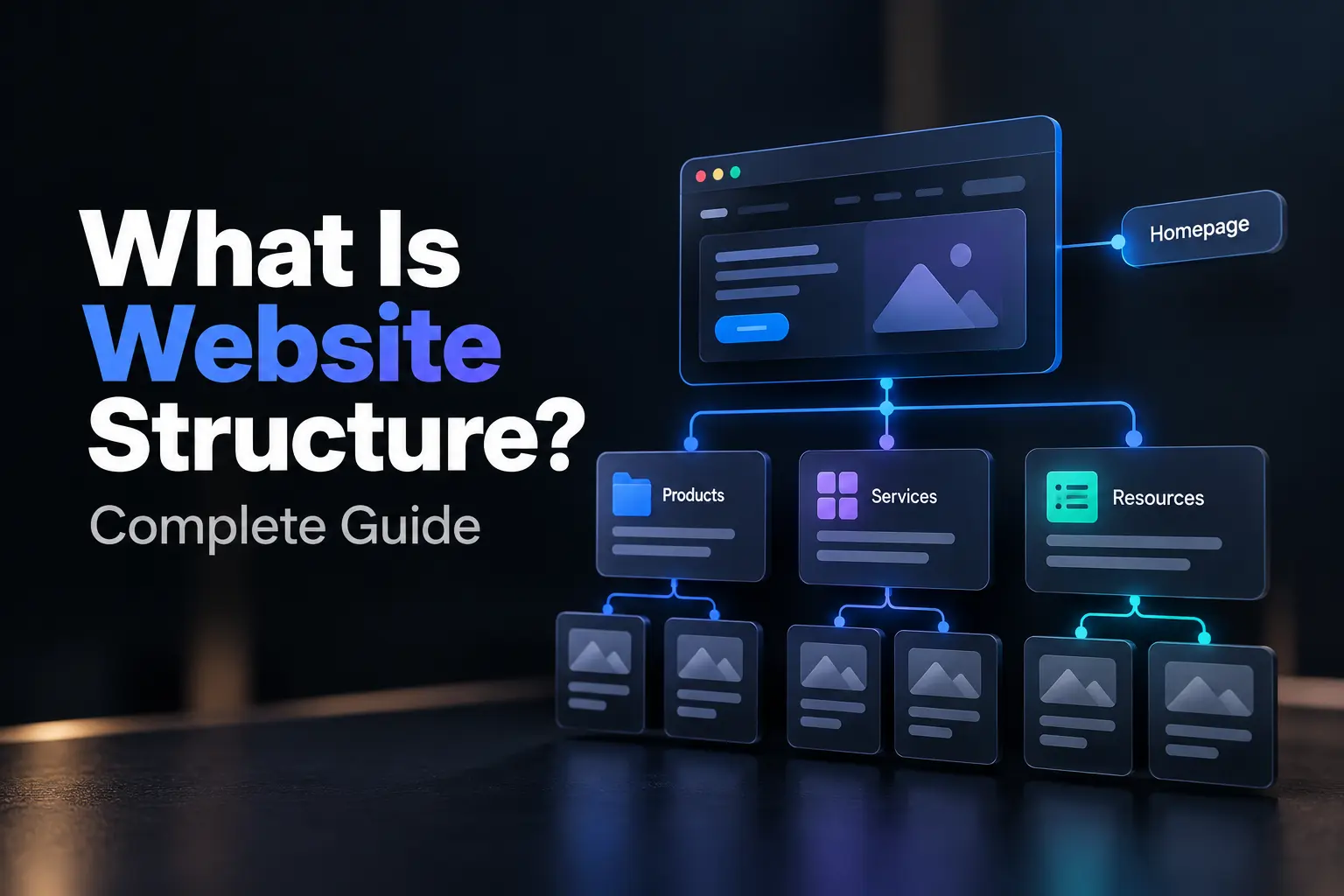
Planning creates the website structure. The team maps pages, content priorities, navigation and customer journeys. This structure gives the design a clear purpose before development begins.
Design creates the visual experience. The designer develops layouts, typography, imagery and brand elements around the approved structure. Mobile views also need attention before development starts.
Development turns designs into a working website. The developer builds responsive pages, forms, CMS features and required integrations. Technical SEO, accessibility and performance also need attention during development.
Testing checks the finished website. The team tests forms, links, layouts, browsers, devices and page performance. These checks identify technical issues before visitors access the site.
Launch puts the website online. The team connects the domain, verifies analytics and completes final technical checks. A clear handoff gives the business access to its website and related tools.
Ongoing support maintains the website. Support can cover updates, security, content changes, performance checks and SEO work. The required support level depends on the website and business needs.
How long does it take to build a small business website?
A small business website typically takes 2–6 weeks from project kickoff to launch. The timeline depends on scope, content readiness, functionality, feedback speed and approval cycles.
A simple business website can launch within 1–2 weeks when content arrives before development. A larger site with ecommerce, booking or custom integrations can require 6–12 weeks.
Content readiness often controls the project timeline more than development work. Delays can occur when businesses lack copy, images, brand assets or timely feedback.
Small business website projects also need time for testing before launch. Teams need to check forms, mobile layouts, links, analytics and core functionality across relevant devices.
A realistic timeline therefore depends on project readiness rather than a fixed delivery promise. Businesses can shorten delays by preparing content, confirming decisions and defining required features before development starts.
How much do small business web design services cost?
Small business web design services typically cost $1,500–$15,000 in 2026 for professionally built websites. Project scope, design depth, features and provider type influence the final price.
DIY website builders cost about $15–$50 per month for basic business websites. They reduce upfront costs but provide less custom strategy and development support.
Freelancer projects often cost $1,500–$8,000 for small business websites. Agency projects can cost $5,000–$20,000 or more when custom design and advanced features enter the scope.
Website features also influence the total project cost. Ecommerce, booking tools, CRM connections, custom forms and advanced integrations require additional development work. Content creation, hosting and maintenance can add separate costs.
Small business website maintenance can add recurring monthly expenses after launch. Published 2026 pricing guides show maintenance plans ranging from basic support to broader monitoring and updates.
The final website budget needs to match business requirements rather than a fixed price target. A clear scope helps businesses compare providers and avoid unexpected project costs.
What is website management?
Website management is the ongoing process of keeping a live website secure, functional, current and useful. It covers technical maintenance, content updates, security checks, performance reviews and website support.
Website management also keeps website software and core features reliable after launch. It can cover CMS updates, plugin updates, backups, uptime checks, security scans and broken-form testing.
Website content also needs regular management as business information changes. Updates can cover service details, images, contact information, offers and other customer-facing content.
Website performance management checks speed, availability and technical health over time. Analytics, technical SEO checks and performance reviews can identify issues that affect website usability.
Website management differs from one-time website design because it continues after launch. Design creates the website foundation, while management maintains and adjusts that foundation as business needs change.
Small business website management can reduce technical workload and help prevent avoidable website problems. Businesses can handle this work internally or use recurring support from agencies and freelancers.
What does ongoing website management cover?
Ongoing website management covers technical maintenance, content updates, performance, SEO and security. These areas keep a business website functional, current and protected after launch.
The main areas of ongoing website management are listed below.
Technical maintenance: Website managers update the CMS, plugins, themes and dependencies. They also test forms, links and key website functions after updates.
Backups and recovery: Website managers create regular backups and store copies away from the live website. They also test recovery processes to confirm data restoration.
Content updates: Website managers update text, images, services, products and contact details. They can also publish approved blog content and make minor page changes.
Performance management: Website managers check page speed, server response and mobile performance. They can also optimize images, databases, caching and other technical resources.
SEO maintenance: Website managers check broken links, metadata, sitemaps and Search Console data. They can also identify technical issues that affect search visibility.
Security management: Website managers apply security patches and check SSL certificates, malware risks and access controls. They can also configure firewalls and login protection.
Uptime and technical support: Website managers track website availability and respond to technical problems. Support plans can also cover bug fixes and urgent recovery work.
How do small businesses manage website updates?
Small businesses manage website updates through internal teams, external providers or a combination of both. The right approach depends on technical skills, website complexity and update frequency.
The main ways small businesses manage website updates are listed below.
Internal content updates: Small business teams can update text, images, service details and blog content through a CMS. This approach works well when staff have basic website editing skills.
Freelancer or agency support: Small businesses can outsource technical updates to freelancers or agencies. These providers can handle software updates, backups, security checks and technical fixes.
Managed website services: Managed services combine routine maintenance with technical support. These plans can cover updates, security checks, backups, uptime monitoring and issue resolution.
Hybrid website management: Small businesses can keep routine content changes in-house and outsource technical maintenance. This model gives teams control over content while external specialists handle complex tasks.
Scheduled maintenance: Small businesses can assign specific update tasks to weekly or monthly maintenance cycles. Regular checks can cover software, backups, forms, security and website performance.
Testing after updates: Website teams need to test important customer actions after major changes. These checks can cover forms, bookings, payments, links and other critical functions.
Clear ownership: Small businesses need a named person or provider for website maintenance. Clear ownership helps teams track changes, resolve problems and maintain recovery procedures.
How does website maintenance keep a site working?
Website maintenance keeps a site working by updating software, protecting data, monitoring availability and checking performance. These tasks reduce preventable failures and help websites remain functional after launch.
Software updates keep website platforms and extensions compatible and secure. Regular updates address known issues and reduce problems from outdated CMS software, themes or plugins.
Backups give websites a recovery option when errors, attacks or server failures cause data loss. Off-site copies provide stronger recovery protection than copies stored only on the live server.
Uptime monitoring helps website teams detect outages soon after they occur. Alerts can prompt faster investigation before downtime affects forms, bookings or other customer actions.
Performance checks help websites maintain usable page speed and responsive layouts. These checks can cover images, caching, mobile displays, broken links and Core Web Vitals.
Security maintenance protects websites through patches, scans and access controls. Firewalls, malware checks and security reviews can reduce exposure to common website threats.
Website maintenance also tests important functions before small faults become larger problems. Form checks, link reviews and recovery tests help teams identify failures before customers report them.
Website maintenance therefore keeps reliability through regular checks rather than one-time fixes. The required frequency depends on the platform, traffic, integrations and business risk.
How does website support work after launch?
Website support works after launch through defined maintenance tasks, support requests and technical response procedures. These services help businesses resolve faults and maintain website functions after launch.
The main stages of post-launch website support are listed below.
Support scope: A support plan defines covered tasks, response times and monthly service limits. Clear terms separate routine maintenance from larger development projects.
Issue requests: Businesses submit technical requests through email, support portals or ticket systems. Each request gives the support team details for diagnosis and resolution.
Technical fixes: Support teams fix broken forms, plugin conflicts, layout errors and other website faults. They can also restore websites after crashes or failed updates.
Routine maintenance: Support teams handle software updates, backups, security checks and website monitoring. These tasks reduce avoidable problems between support requests.
Content changes: Support plans can include small text, image and page updates. Larger changes often require separate development work or additional service hours.
Response management: Support providers assign response times according to plan level and issue severity. Critical website problems can receive faster attention than routine requests.
Ongoing reporting: Support teams can provide maintenance reports that document completed work and website status. These reports help businesses track support activity and outstanding issues.
What should small businesses look for in a web design service?
Small businesses need web design services that match business goals, technical needs, ownership requirements and support expectations. A clear evaluation process helps compare providers beyond visual portfolio quality.
The main criteria for choosing a small business web design service are listed below.
Relevant experience: A provider needs relevant examples that match the business industry, audience and website goals. Live websites offer stronger evidence than portfolio mockups alone.
Clear project process: A provider needs a defined process for discovery, design, development, testing and launch. A written scope also needs clear responsibilities, milestones and revision terms.
Mobile and technical quality: The service needs responsive layouts, usable navigation and sound technical foundations. Businesses can test live portfolio sites across mobile devices before selecting a provider.
SEO foundations: The provider needs to address page structure, metadata, technical SEO and measurement during website development. SEO planning also needs to align with the site's content and customer journeys.
Ownership and access: The business needs control of its domain, hosting, CMS and important digital accounts. The contract also needs clear terms for content, code, design assets, licenses and website transfer.
Transparent pricing: The proposal needs to separate included services from additional costs. Businesses also need clear terms for hosting, licenses, revisions, content and future development.
Post-launch support: The service needs defined support terms after launch. The agreement needs to specify covered fixes, response times, maintenance tasks and charges for work outside scope.
Security and recovery: The provider needs a clear approach to updates, backups, access control and recovery. Businesses also need documented recovery access rather than dependence on one external account.
What happens after a small business website goes live?
A small business website enters a post-launch monitoring and support phase after it goes live. The team checks functionality, analytics, search visibility and technical performance.
The main post-launch website activities are listed below.
Live website checks: The team tests forms, links, buttons, navigation and important customer journeys. These checks can reveal issues that staging tests did not expose.
Analytics verification: The team confirms that analytics and conversion tracking collect accurate data. This setup gives the business a baseline for later performance reviews.
Search indexing checks: The team reviews Google Search Console, sitemap status and crawl signals. These checks help confirm that important pages remain accessible to search engines.
Website handoff: The business receives CMS access, account details, documentation and relevant training. Clear ownership helps staff manage content and coordinate future support.
Early issue fixes: The team resolves broken layouts, form errors, link problems and other launch defects. Real visitors can expose issues that controlled testing missed.
Performance monitoring: The team reviews page performance, mobile behavior and important user journeys. These checks help identify technical problems that affect website usability.
Ongoing maintenance: The business establishes a maintenance routine for security, updates, content and technical checks. Regular support keeps the website aligned with changing business needs.
How often should website content be updated?
Website content needs updates when business information changes and regular reviews for accuracy. Website design teams often review important pages monthly or quarterly. Blog content can follow a separate schedule based on audience needs, topic changes and performance.
How are website security updates handled?
Website security updates keep website design platforms, plugins and themes current against known vulnerabilities. Website managers apply critical patches promptly, test important changes and maintain backups. WordPress also supports automatic plugin and theme updates for supported configurations.
What happens when a website needs technical support?
Website technical support helps website design teams resolve faults, updates and post-launch issues. Businesses submit requests through support channels, while technicians diagnose problems and apply fixes. Support plans can define response times, maintenance tasks and emergency coverage.
.svg)
.svg)
.svg)
.svg)