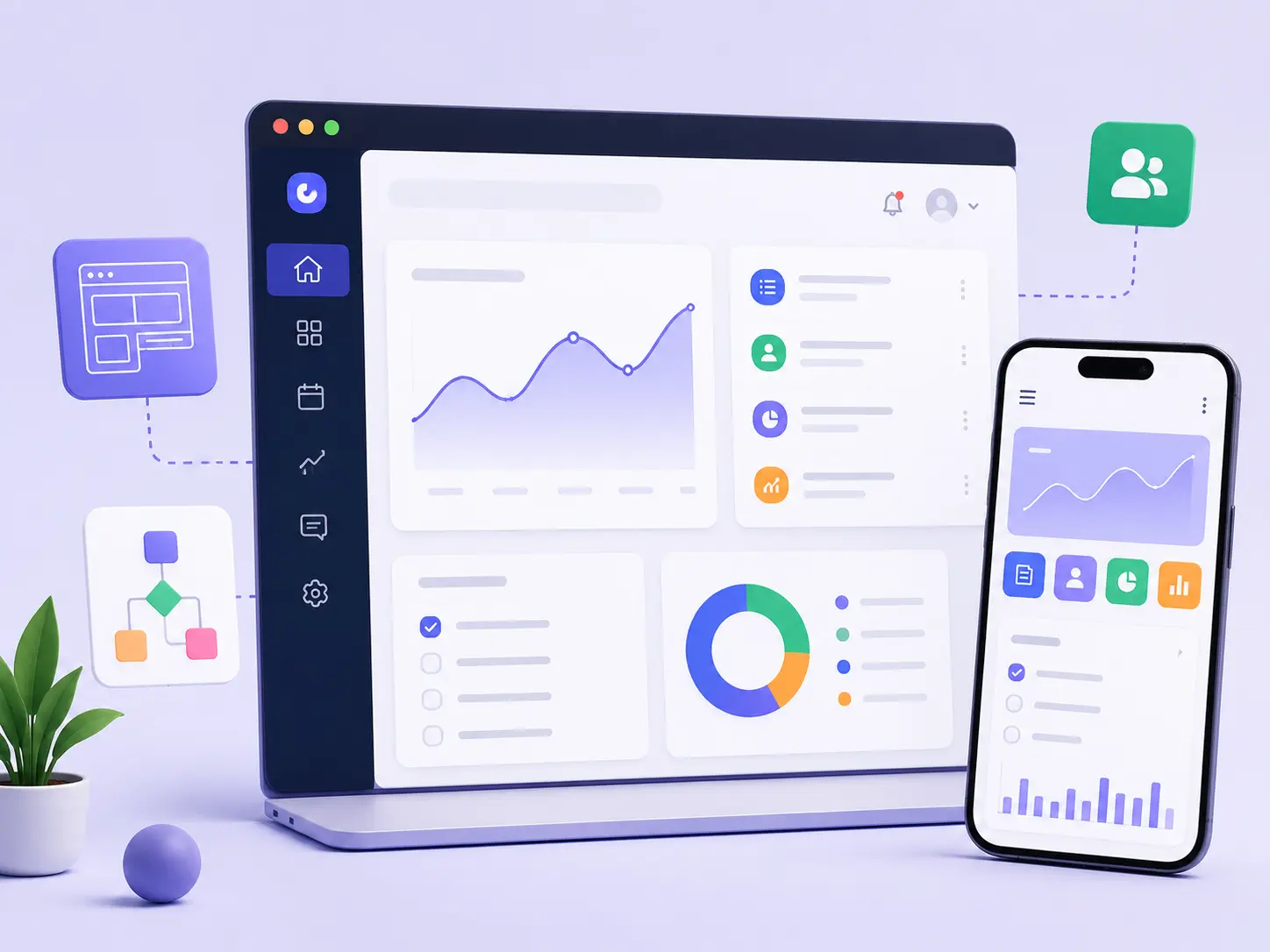
Web app design is the structured process that defines how browser-based applications look, function and support user goals through a clear user experience (UX) and an effective user interface (UI). It organizes information, user flows and interactions into a logical framework that helps users complete tasks accurately and efficiently. This complete guide explains the principles and practices that create web applications that are intuitive, accessible and reliable.
User experience (UX) identifies user needs, validates navigation patterns and establishes workflows that improve usability through research and testing. User interface (UI) translates those decisions into visual layouts, interactive elements and consistent design systems that help users understand information and complete actions with ease. Together, they connect structure with presentation to create a cohesive digital experience.
Responsive and adaptive layouts ensure the interface adjusts to different screen sizes, devices and viewing conditions without reducing clarity or usability. These layouts preserve consistency across modern browsers and support accessible, scalable web applications. This holistic approach combines strategy, structure, visual design and interaction patterns to reflect accepted design practices and establish expertise, authority and trust throughout the design process.
What is web app design?
Web app design is the end-to-end process that defines how a web-based product looks, works and supports user goals through the browser. It combines planning, structure and interaction into a unified design approach that helps users complete tasks efficiently while supporting business objectives. This process establishes the foundation for web applications that are clear, reliable and easy to use.
Web app design relies on user interface (UI) to present layouts, buttons, forms and other visual elements that make actions easy to recognize and complete. It also relies on user experience (UX) to organize navigation, user flows and feedback so every interaction follows a logical path and supports efficient task completion.
Web app design uses dynamic features to respond to user input through real-time updates, state changes and interactive behaviors that improve usability without disrupting the experience. Together, these elements strengthen web app design by creating browser-based applications that remain accessible, consistent and scalable while reflecting user-centered design principles and established industry practices.
Why is web app design important?
Web app design is important because it transforms complex software functionality into user-friendly experiences that help people complete tasks accurately, efficiently and with confidence. Web app design organizes information, interactions and visual communication into a logical structure that reduces complexity and supports efficient task completion. This structured approach strengthens user trust, encourages continued use and creates reliable digital experiences. Higher satisfaction increases customer engagement, which supports long-term revenue through stronger customer retention, repeat usage and sustainable product growth.
The importance of web app design is listed below.
Increases Engagement and Usability: Increases engagement and usability through clear navigation, intuitive interactions and logical workflows that make complex software functionality easier to understand and use.
Drives Revenue and Conversions: Drives revenue and conversions because user-friendly experiences reduce abandonment, increase customer engagement and contribute to long-term revenue through higher retention and successful task completion.
Builds Brand Credibility: Builds brand credibility through consistent interactions, predictable behavior and reliable performance that strengthen user trust and reinforce confidence in the application and the organization behind it.
Ensures Cross-Device Consistency: Ensures cross-device consistency with responsive and adaptive layouts that preserve user-friendly experiences, maintain user trust, support customer engagement and contribute to long-term revenue across different devices and screen sizes.
What makes web app design different from website design?
Web app design is different from website design because it creates browser-based applications that support interactive tasks, while website design primarily presents information and communicates value. Although both disciplines organize digital experiences, their primary goal differs.
Web app design helps users complete workflows, manage data and interact with application features, whereas website design helps users discover information and navigate content. As a result, web app design requires greater interactivity & complexity to support user actions, state changes and real-time responses.
Web app design places its user experience (UX) focus on efficiency, task completion and error prevention, while website design emphasizes content clarity, navigation and information discovery. It also prioritizes scalability & longevity because web applications continue to evolve as products that support growing user needs. This long-term approach requires deeper integration with back-end systems, APIs, authentication services and security controls to deliver reliable, secure and maintainable application experiences.
The difference between web app design and website design is listed below.
What are the goals of web app design?
The goal of web app design is to create a cohesive environment where user experience (UX) guides how people complete tasks and navigate workflows, while user interface (UI) presents the visual elements. These interactions make those tasks clear, efficient and intuitive.
Web app design aligns UX and UI so users understand the application quickly, recover from errors easily and build confidence through consistent interactions. This balanced approach improves usability, supports reliable task completion and creates web applications that remain practical, scalable and valuable throughout their lifecycle.
The goals of web app design are listed below.
Usability & Efficiency: Usability and efficiency improve when web app design aligns user experience (UX) with user interface (UI) so users complete tasks quickly, accurately and with minimal cognitive effort.
Accessibility: Accessibility improves when web app design applies inclusive UX and UI patterns that give people with different abilities consistent access to application features.
Responsiveness: Responsiveness improves when web app design adapts UX flows and UI layouts to different devices and screen sizes while preserving clarity, consistency and usability.
Business Alignment: Business alignment strengthens when web app design connects UX decisions and UI design with measurable product objectives that support user satisfaction, product adoption and long-term business success.
Trust & Credibility: Trust and credibility grow when web app design delivers consistent UX, intuitive UI and predictable interactions that encourage user confidence and continued product use.
Which factors influence the design of a web app?
The factors that influence web app design determine how web application design transforms requirements into a usable, reliable and scalable product. Web app design begins with a clear understanding of user needs, business objectives and application requirements so the overall user experience reflects real tasks, user expectations and practical workflows.
It also adapts to project complexity, target devices, security requirements and public visibility where search optimization applies. Together, these factors help web application design deliver applications that remain intuitive, efficient and dependable throughout their lifecycle.
The 5 factors that influence web app design are listed below.
- User Needs & Experience: User needs and experience shape web app design by aligning user goals, workflows and content with real-world tasks, which improves the overall user experience and supports efficient task completion.
- Project Complexity: Project complexity determines how web application design organizes information architecture, navigation and interaction patterns so users can manage increasing functionality without unnecessary confusion.
- Target Devices: Target devices influence web app design by adapting layouts, interactions and performance for desktop, tablet and mobile environments while preserving a consistent overall user experience.
- Security & Compliance: Security and compliance guide web application design by incorporating authentication, authorization and regulatory requirements that protect application data and strengthen user trust.
- Search Engine Optimization (SEO): Search engine optimization (SEO) influences web app design by organizing public-facing pages, routes and content so search engines can discover and index appropriate application resources without exposing protected functionality.
What are the core principles of web app design?
The core principles of web app design are the foundational rules that help web app design create dynamic interactions that feel natural, predictable and easy to understand. These principles organize layouts, interactions and system behavior so users complete tasks efficiently with minimal confusion.
They also ensure the interface is efficient, usable and accessible by reducing friction, guiding user attention and supporting people with different abilities, devices and usage contexts. Together, these principles help web app design deliver reliable, intuitive and professional web applications that support real-world tasks and long-term product quality.
The 6 core principles of web app design are listed below.
- Usability & Efficiency: Usability and efficiency improve when web app design organizes workflows, controls and dynamic interactions so users complete tasks quickly with minimal cognitive effort.
- Visual Hierarchy: Visual hierarchy directs user attention when web app design uses layout, size, spacing and contrast to emphasize important actions, information and interface elements.
- Consistency: Consistency strengthens usability when web app design applies familiar patterns and predictable behaviors across every screen and dynamic interaction.
- System Status & Feedback: System status and feedback improve user confidence when web app design communicates progress, system responses and action results clearly throughout every interaction.
- Accessibility: Accessibility improves when web app design creates an interface that is efficient, usable and accessible for people with different abilities, devices and input methods.
- Error Prevention: Error prevention reduces mistakes when web app design applies clear constraints, sensible defaults and meaningful confirmations before users complete critical actions.
How does the web app design process work?
The web app design process transforms a product idea into a usable interface through a structured sequence of planning, validation and refinement. Web app design begins by defining user goals, business requirements and technical constraints before information architecture organizes content, navigation and task flows into a logical structure.
Low-fidelity wireframes establish the layout and content hierarchy without visual detail, while clickable prototypes validate navigation, interactions and user behavior before development begins.
High-fidelity visual design refines colors, typography, components and interface states into a polished experience that is ready for implementation. This structured process reduces design risks, identifies usability issues early and helps web app design deliver products that satisfy user needs and business objectives.
The key web app design process is listed below.
Research & Ideation: Research and ideation establish the foundation of web app design by identifying user needs, business goals, technical constraints and product requirements before design begins.
Information Architecture & Wireframes: Information architecture and wireframes organize content, navigation and user flows while low-fidelity wireframes define page structure, layout and core interactions.
Prototyping: Prototyping validates web app design through clickable prototypes that test navigation, task flows, interface behavior and dynamic interactions before development.
UI Design: UI design transforms validated concepts into high-fidelity visual design by refining components, typography, colors, spacing and interaction patterns that create a cohesive interface.
Handoff & Development: Handoff and development prepare web app design for implementation by delivering design specifications, assets and interaction guidelines that help developers build the intended user experience accurately.
How does user research support web app design?
User flows support web app design because they create a visual mapping that shows how users move from entry to completion to achieve a goal efficiently. Web app design uses user flows to organize each step, clarify decision points and identify friction before development begins.
This structured approach validates whether every interaction supports real user intent, improves usability and strengthens design decisions. Clear user flows reduce uncertainty, simplify complex journeys and help web app design deliver reliable, user-centered applications that align with user needs and business objectives.
The key ways user flows support web app design are listed below.
Prevents Feature Creep: Feature creep decreases when web app design uses user flows to keep every screen, interaction and feature focused on the actions users need to achieve goal efficiently.
Identifies Pain Points Early: Pain points become visible when user flows reveal where users hesitate, abandon tasks or experience confusion between entry to completion. Early visibility helps web app design resolve usability issues before development begins.
Aligns Stakeholders: Stakeholder alignment improves when user flows provide a shared visual mapping that helps designers, developers and product teams understand the same user journey, priorities and expected outcomes.
Guides Wireframing: Wireframing becomes more effective when user flows define the sequence of screens, interactions and decision points. This structure helps web app design create layouts that support a logical path from entry to completion.
How do user flows support web app design?
User flows support web app design because they create a visual mapping that shows how users move from entry to completion to achieve goal efficiently. Web app design uses user flows to organize every step, clarify decision points and identify friction before development begins.
This structured approach validates user journeys, strengthens design decisions and improves usability because every interaction reflects real user intent. Clear user flows reduce uncertainty, simplify complex journeys and help web app design deliver reliable, user-centered applications that align with user needs and business objectives.
The key ways user flows support web app design are listed below.
Prevents Feature Creep: Prevents feature creep because web app design uses user flows to keep every screen, interaction and feature focused on the actions users need to achieve goal efficiently.
Identifies Pain Points Early: Identifies pain points early because user flows reveal where users hesitate, abandon tasks or experience confusion between entry to completion. Early visibility helps web app design resolve usability issues before development starts.
Aligns Stakeholders: Aligns stakeholders because user flows provide a shared visual mapping that helps designers, developers and product teams understand the same user journey, priorities and project objectives.
Guides Wireframing: Guides wireframing because user flows define the sequence of screens, interactions and decision points. This structure helps web app design create layouts that support a logical path from entry to completion.
What is information architecture in web app design?
Information Architecture (IA) in web app design is the structural design of content, labels and navigation. It helps users understand where information belongs and how to move through a digital product efficiently.
It organizes shared information environments into a logical and predictable structure that supports navigation, content discovery and task completion. Information Architecture (IA) in web app design connects related content, establishes clear relationships between pages and features and reduces user effort when users search for information, compare options or complete actions.
This structured foundation improves usability because navigation paths, content organization and interface structure align with real user behavior and established user experience (UX) principles. As a result, Information Architecture (IA) in web app design strengthens web app design by creating interfaces that remain organized, intuitive and reliable as applications grow in complexity.
What are wireframes in web app design?
Wireframes are the foundational blueprints of web app design. They are skeletal, two-dimensional outlines that define page layouts, organize information architecture, map user flows and establish functionality before visual design begins.
Wireframes provide the structural foundation that helps web app design organize content, navigation and interactions into a logical framework before visual refinement starts. This early structure clarifies relationships between pages, supports efficient design decisions and reduces revisions because layout and functionality are validated before detailed interface design.
Wireframes usually begin as low-fidelity layouts that focus on structure and content placement. They progress into mid-fidelity versions that introduce additional interface detail before evolving into high-fidelity wireframes that closely represent the final product. This structured progression reflects established user experience (UX) practices and strengthens web app design through clear planning, consistent usability and scalable interface development.
What are prototypes in web app design?
Prototypes in web app design are interactive simulations that demonstrate how the final product will behave before development begins. They validate functionality, test navigation and help designers evaluate whether users can complete tasks efficiently through realistic interactions rather than static screens.
Prototypes extend the design process beyond static wireframes by allowing users and stakeholders to experience interface behavior, interaction flows and task completion before implementation. This interactive validation identifies usability issues early, supports informed design decisions and reduces development risks before significant resources are invested.
Unlike mockups, which emphasize visual appearance, prototypes focus on behavior, interaction and usability. They enable teams to verify that functionality and navigation support real user goals before development starts. This structured approach reflects established user experience (UX) practices and strengthens web app design through early validation, improved collaboration and more reliable product decisions.
How does interaction design improve web app design?
Interaction design improves web app design because it helps users navigate digital products and operate the interface through clear, predictable and meaningful interactions. It translates user goals into intuitive actions that reduce friction and support efficient task completion.
Interaction design guides interface behavior through consistent feedback, logical interaction patterns and responsive system responses. These interactions help users understand actions, recover from errors and complete workflows with greater confidence.
This structured approach strengthens web app design by creating intuitive, reliable and user-centered experiences.
The key ways interaction design improves web app design are listed below.
Behavior (Response): Behavior improves when interaction design helps web app design provide clear, predictable responses that confirm user actions and reduce uncertainty.
Time (Duration/Transitions): Time improves when interaction design helps web app design use transition speeds and animation timing that create smooth navigation without interrupting task completion.
Words (Labels/Instructions): Words improve when interaction design helps web app design use clear labels and concise instructions that explain actions and guide users through each step.
Visual Representations (2D): Visual representations improve when interaction design helps web app design use layouts, icons and visual cues that direct attention and support informed decisions.
Physical Objects/Space (3D): Physical objects and space improve when interaction design helps web app design organize spatial relationships that make interface elements easier to recognize, reach and operate across different devices.
How does usability improve web app design?
Usability improves web app design by making interfaces intuitive, easier to learn and more efficient to use. It helps users complete tasks with fewer user errors, less effort and greater confidence.
Web app design applies usability principles to improve learnability through clear navigation, logical information organization and consistent interactions. These principles help users understand the interface quickly and complete tasks more accurately.
Usability also helps web app design accelerate workflows by reducing unnecessary steps, minimizing confusion and supporting efficient task completion. As a result, users interact with the application more confidently and consistently.
The key ways usability improves web app design are listed below.
Reduces Drop-off: Reduces drop-off because usability helps web app design create intuitive interfaces that simplify task completion, reduce user errors and encourage users to continue their journey.
Minimizes Support Costs: Minimizes support costs because usability helps web app design improve learnability, reduce confusion and enable users to complete common tasks without additional assistance.
Drives Engagement: Drives engagement because usability helps web app design accelerate workflows, improve efficiency and create satisfying experiences that encourage users to return and interact more frequently.
How does responsive design improve web apps?
Responsive design improves web apps because dynamically adapting layouts adjust to every screen size, keeping interfaces clear, usable and efficient across different devices. This flexibility helps users complete tasks consistently without disrupting the overall experience.
Responsive design connects layout, media and functionality into a unified system that adapts content, interactions and interface elements to changing viewing conditions. This structured approach preserves usability, supports accessibility and maintains a consistent experience across devices.
These capabilities help web apps remain scalable, reliable and easier to maintain as user needs and device environments continue to evolve.
The core ways responsive design improves web apps are listed below.
Boosted User Retention: Boosts user retention because responsive design helps web apps deliver consistent experiences across every screen size, encouraging users to stay engaged and complete more tasks.
Improved SEO Rankings: Improves SEO rankings because responsive design gives web apps a mobile-friendly structure that helps search engines crawl, index and present content more effectively.
Streamlined Updates: Streamlines updates because responsive design enables web apps to maintain one flexible layout system instead of separate device-specific versions, reducing maintenance effort while preserving a consistent user experience.
Why is accessibility important in web app design?
Accessibility is important in web app design as it guarantees equal access to information and services for people with disabilities. It makes digital experiences easier to use and helps users understand content, navigate interfaces and complete tasks regardless of their abilities or assistive technologies.
Web app design applies accessibility principles to remove barriers, improve usability and create inclusive interfaces that support diverse user needs. This approach strengthens user trust, aligns with recognized accessibility standards and delivers reliable experiences across different devices and interaction methods.
The importance of accessibility in web app design is listed below.
Inclusivity & Equal Opportunity: Inclusivity and equal opportunity increase when accessibility helps web app design guarantee equal access to information and services for people with disabilities.
Enhanced Usability: Enhanced usability makes web app design easier to navigate, read and operate for users with different abilities through accessible interface patterns and clear interactions.
Legal Compliance: Legal compliance helps web app design meet recognized accessibility standards, reduce compliance risks and support responsible digital development.
Wider Reach & Better SEO: Wider reach and better SEO strengthen as accessibility creates well-structured content that users and search engines can understand, navigate and access more effectively.
What are design systems in web app design?
Design systems in web app design are structured frameworks that define how digital products look, behave and scale across screens. They serve as a single source of truth that unifies reusable UI components, brand guidelines and a shared visual language (Design Tokens) into one consistent design framework.
Design systems organize a component library for reusable interface elements and a pattern library for common interaction solutions. They also establish style guide & principles that explain how teams should apply design standards consistently across the product.
This structured framework strengthens web app design through consistent interfaces, scalable workflows and maintainable user experiences. It reduces duplication, improves collaboration and helps teams build reliable digital products as applications continue to evolve.
How does testing improve web app design?
Testing improves web app design because it identifies usability issues, functional defects and weak interactions before users encounter them. It validates design decisions, improves reliability and helps teams deliver interfaces that are intuitive, efficient and easier to use.
Web app design uses testing to evaluate navigation, layout, performance, accessibility and visual consistency against real user behavior. Test results reveal improvement opportunities, reduce design risks and help the final product align more closely with user needs and business objectives.
The key benefits of testing in web app design are listed below.
Data-Driven Decisions: Data-driven decisions become more reliable when testing provides measurable insights that help web app design validate assumptions, refine features and prioritize improvements.
Pain Point Identification: Pain point identification reveals where users experience confusion, frustration or unnecessary effort. These findings help web app design resolve usability issues before release.
Early Risk Mitigation: Early risk mitigation reduces design, usability and functionality risks as testing validates critical interactions before development progresses further.
Ensuring Consistency: Ensuring consistency helps web app design deliver predictable layouts, interactions and visual behavior across screens, devices and user journeys.
Accessibility Compliance: Accessibility compliance verifies that web app design meets recognized accessibility standards and provides interfaces that support users with different abilities.
What are the most common interface elements in web app design?
The most common web interface elements in web app design are the building blocks that help users interact with digital products, complete tasks and understand system status. These interface elements include input controls, navigation components, informational components and containers, each serving a specific purpose that supports clear, efficient and intuitive user interactions.
Web app design organizes these interface elements into a consistent system that improves usability, reduces friction and guides users through common workflows. When each element is applied appropriately and consistently, the interface becomes easier to learn, navigate and maintain across different screens and user scenarios.
The most common interface elements in web app design are listed below.
Buttons: Buttons trigger actions such as submitting forms, saving changes, continuing workflows or cancelling operations.
Text Fields: Text fields collect user input for search queries, names, email addresses, passwords and other editable information.
Checkboxes & Radio Buttons: Checkboxes and radio buttons allow users to select multiple options or choose a single option within forms.
Dropdown Lists: Dropdown lists present predefined options in a compact format that saves screen space and simplifies selection.
Toggle Switches: Toggle switches control binary states such as on and off or enabled and disabled.
Navigation Bars: Navigation bars provide access to primary sections and help users move through the web application efficiently.
Sidebars: Sidebars organize secondary navigation, filters and supporting tools within a persistent interface area.
Breadcrumbs: Breadcrumbs show the user's current location and clarify the navigation hierarchy.
Pagination: Pagination divides large collections of content into manageable pages that improve browsing and navigation.
Tooltips: Tooltips provide brief contextual explanations for icons, controls and interface actions.
Progress Bars: Progress bars display the completion status of tasks, uploads and multi-step workflows.
Notifications/Toasts: Notifications and toasts communicate alerts, confirmations and system feedback without interrupting the user experience.
Cards: Cards group related content into reusable containers that improve readability and content organization.
Modals: Modals focus user attention on important actions, confirmations and decision-making tasks before interaction continues.
Accordions: Accordions organize expandable content sections that keep interfaces compact while making additional information available when needed.
What is navigation design?
Navigation design is the structure and organization of a digital interface that guides users through content and actions with good navigation and consistent menus. Within web app design, it improves user experience by helping users move between features, complete tasks and understand their current location in the interface.
What is form design?
Form design is the logical structure of a form that supports accurate, efficient and intuitive data entry. In web app design, it arranges fields clearly in 2D space and, where appropriate, represents interactions with a 3D object and 3D depth to improve usability and reduce input errors.
What are interface buttons?
Interface buttons are graphical or physical controls that allow users to trigger actions within a digital device or software. They connect user intent with system responses, support task completion and provide clear interaction points throughout the interface.
What are interface cards?
Interface cards are modular, visual UI components that organize a single subject within a clickable container. They group related content, highlight important information and support clear, consistent interactions across digital interfaces.
What are interface sidebars?
Interface sidebars are a vertical panel positioned along the edge of a screen or window. They organize navigation menus, supplementary tools and contextual information, helping users access features and navigate the interface efficiently.
What are interface icons?
Interface icons are small, graphical symbols used in digital interfaces to represent tools, actions, or concepts. They communicate meaning quickly, reduce visual clutter and help users recognize functions without relying on lengthy text labels.
What are tables in web app design?
Tables (or data tables) are user interface components that organize structured information in a grid format. In web app design, they arrange data into horizontal rows and vertical columns, making large datasets easier to read, compare and manage.
What are modal dialogs?
Modal dialogs are an overlay window that appears above the main application screen to focus user attention on a single task, message or decision. They reduce distractions and require users to complete or dismiss the dialog before returning to the underlying interface.
What are interface notifications?
Interface notifications are digital messages displayed in software, websites and operating systems. They deliver alerts, status updates, reminders and requests for action, helping users stay informed and respond to important events at the right time.
What are empty states in web app design?
An empty state is a web interface screen that appears when the screen temporarily lacks content or shows no search results. It explains the current situation, guides users toward the next action and prevents the interface from feeling incomplete or confusing.
.svg)
.svg)
.svg)
.svg)