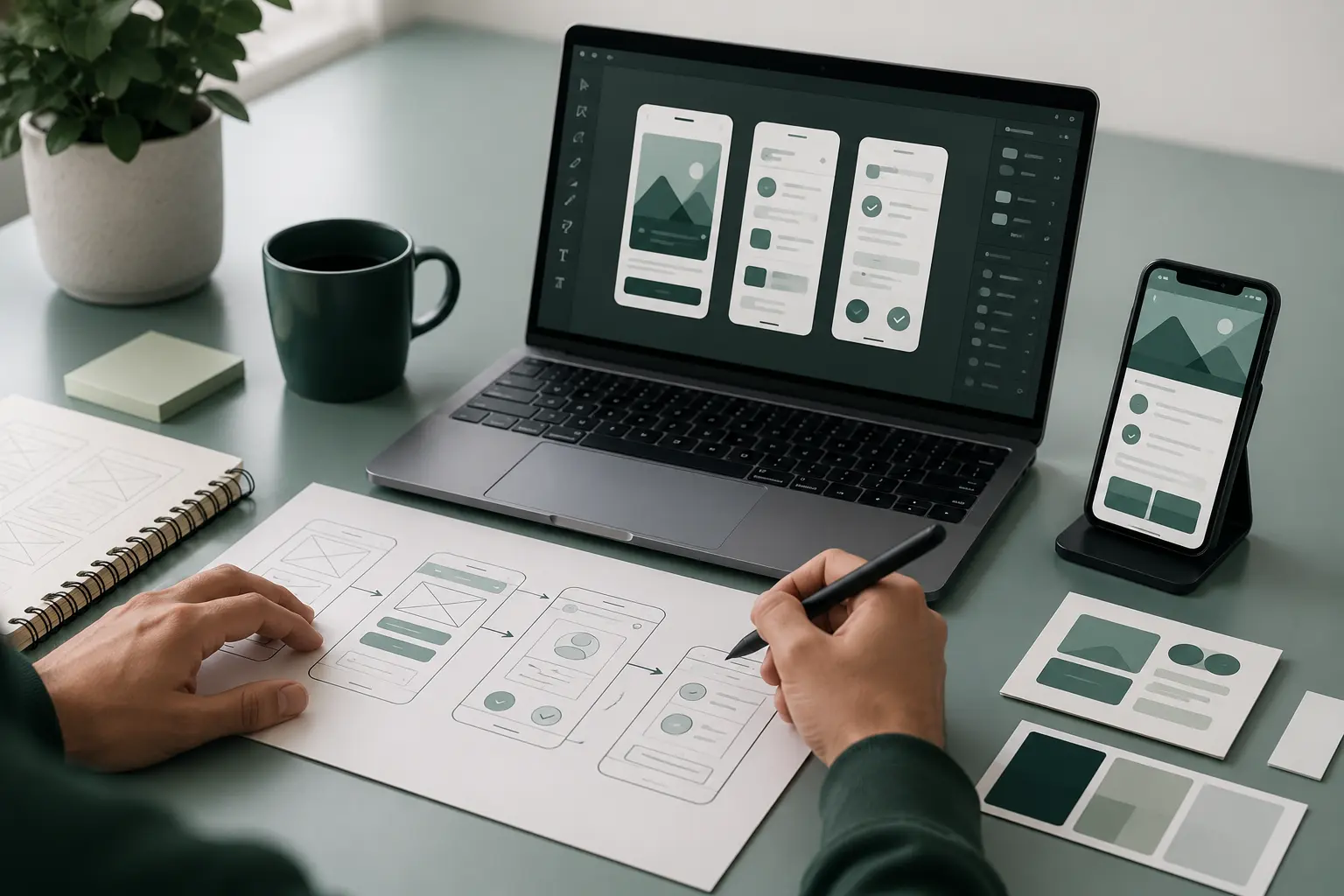
A UI/UX designer is a design professional who creates digital products that are easy, clear, and fun to use. The role starts with user research to understand user needs and business goals. It uses system logic to organize content, guide interactions, and improve usability. It also applies visual design to create clear, consistent, and engaging digital interfaces.
A UI/UX designer combines User Experience (UX) principles that improve the complete user journey with User Interface (UI) principles that define every visual and interactive element. Daily responsibilities include user research, wireframe design, prototype creation, interface design, and teamwork with product managers and developers. Essential skills include information architecture, interaction design, prototyping, visual design, usability testing, communication, and problem-solving.
What is a UI/UX designer?
A UI/UX designer is a design professional who creates digital apps and websites that are easy, logical, and pleasing to look at. They understand user needs and support product goals with practical design solutions. They use User Experience (UX) to define how the product works and feels so every interaction stays clear, simple, and effective.
A UI/UX designer also uses User Interface (UI) to define how the product looks through layouts, visual elements, and interface components. They combine user research, interaction design, and visual design to deliver consistent digital products that people understand, trust, and enjoy.
Why is a UI/UX designer important?
A UI/UX designer is important because they make digital products easy to use for both customers and businesses. They improve the overall user experience, boost business sales, and build customer trust through practical design decisions that support long-term business goals.
The reasons why a UI/UX designer is important are listed below.
Higher Sales: Higher sales result from clear and user-friendly experiences that increase conversions and encourage more purchases.
Happy Users: Happy users return more often because intuitive interfaces strengthen confidence and improve overall satisfaction.
Save Money: Save money through thoughtful design that reduces development rework, lowers support costs, and prevents costly usability issues.
How does a UI/UX designer differ from a UX designer?
A UI/UX designer differs from a UX designer because the role covers both how the product works and feels and how it looks. They combine structural experience work with the visual look of the screen to create complete digital experiences. A UX designer focuses primarily on user experience, while a UI/UX designer also applies visual design principles to deliver finished interfaces.
The differences between a UI/UX designer and a UX designer are shown below.
What does a UI/UX designer do?
A UI/UX designer creates digital apps and websites that are easy, useful, and nice to look at. They understand user needs, support business goals, and deliver practical digital solutions. They use UX (User Experience) to improve how people interact with a product and apply UI (User Interface) to create clear and consistent interfaces.
The main activities of a UI/UX designer are listed below.
User Research: User research identifies user needs and guides design decisions.
Information Architecture: Information architecture organizes content and navigation to improve usability.
Wireframing: Wireframing defines page layouts and interaction flows before visual design begins.
Prototyping & Testing: Prototyping and testing validate usability and refine the user experience before development.
Visual Design: Visual design creates interface elements that support clarity, consistency, and accessibility.
Branding & Consistency: Branding and consistency maintain a unified visual identity across every screen.
Responsive Layouts: Responsive layouts adapt interfaces to different screen sizes and devices.
Developer Handoff: Developer handoff provides specifications and assets that support accurate implementation.
What challenges does a UI/UX designer solve?
A UI/UX designer solves challenges that create user friction and product confusion through clear and practical design solutions. They resolve usability gaps, support balancing business goals with user needs and remove accessibility hurdles so digital products remain useful for a wider audience.
The key challenges a UI/UX designer solves are listed below.
Usability and Navigation: Usability and navigation resolve usability gaps, simplify user flows, and help people complete tasks with confidence.
Business and Strategy Alignment: Business and strategy alignment balances business goals with user needs and supports decisions that create value for both users and organizations.
Access and Inclusion: Access and inclusion remove accessibility hurdles and improve usability for people with different abilities, devices, and situations.
What are the core responsibilities of a UI/UX designer?
A UI/UX designer is responsible for user research, interface planning and visual design that keep digital products easy, useful and pleasant to use. The role identifies user needs before design decisions begin. It creates wireframes and prototypes that test ideas before development. These responsibilities also include visual interfaces that improve usability, support clear communication and deliver consistent digital experiences.
The core responsibilities of a UI/UX designer are listed below.
User Experience (UX) Responsibilities: User Experience (UX) responsibilities rely on user research, define user journeys and confirm solutions that satisfy user needs and improve usability.
User Interface (UI) Responsibilities: User Interface (UI) responsibilities produce wireframes and prototypes, design visual interfaces and define interface components that maintain clarity, consistency and accessibility.
Team Collaboration: Team collaboration connects designers, developers, product managers and stakeholders so every solution supports user needs and business goals.
What skills does a UI/UX designer need?
A UI/UX designer needs analytical, creative and technical skills to understand users, design effective interfaces and improve digital experiences. The role begins with user research to understand user needs and guide design decisions. It also relies on visual layout creation to organize information and improve clarity.
A UI/UX designer tests ideas through interactive prototyping before development begins. The role uses wireframing to define page structure and user flows before moving to visual interface design. This combination creates interfaces that are clear, consistent and easy to use while supporting business goals.
The essential skills of a UI/UX designer are listed below.
UX (User Experience) Skills
User Research: User research identifies user needs, behaviors and pain points that support informed design decisions.
Information Architecture: Information architecture organizes content, navigation and user flows that improve usability.
Wireframing: Wireframing defines page structure and screen layouts before visual design begins.
Prototyping: Prototyping tests interactions and validates design concepts before development.
UI (User Interface) Skills
Visual Design: Visual design creates visual interface design that communicates function and strengthens brand identity.
Design Systems: Design systems establish reusable components and standards that maintain consistency across products.
Design Tools: Design tools support visual layout creation, interactive prototyping and efficient collaboration.
Responsive Layouts: Responsive layouts adapt interfaces to different screen sizes and provide consistent user experiences.
Which tools do UI/UX designers use?
UI/UX designers use specialized software that supports product creation from early planning to final interface design. They often work with Figma and Sketch to design interfaces and collaborate with teams throughout the design process. Balsamiq helps designers create low-fidelity layouts that explore ideas before detailed design begins.
UI/UX designers also use dedicated tools for research, prototyping and usability evaluation. These tools help teams validate design decisions through high-fidelity testing before development starts. Together, they improve collaboration, reduce design revisions and create better user experiences.
The main UI/UX design tool categories are listed below.
Wireframing & Ideation: Wireframing and ideation use Balsamiq, Visio, and Miro to create low-fidelity layouts, organize ideas and define product structure.
UI Design & Prototyping: UI design and prototyping use Figma, Sketch, Framer and Axure RP to create interfaces, build interactive prototypes and refine user interactions.
User Research & Testing: User research and testing use Mobbin UXtweak and Lyssna to support research, evaluate usability and confirm design decisions through high-fidelity testing.
How does a UI/UX designer approach a design project?
A UI/UX designer follows a human-centered, step-by-step process to transform ideas into useful digital experiences. The process begins with user research to understand user needs and identify project goals. It then moves through ideation and wireframing to organize information and create functional structures.
A UI/UX designer continues with visual design and testing to refine interactions and improve usability before development begins. Each stage builds on the previous one, shaping the product's final look and feel while keeping user needs and business goals aligned.
The stages a UI/UX designer follows in a design project are listed below.
- Research and Discovery: Research and discovery use User Research to understand user needs, define goals and create User Personas that guide product decisions.
- Structure and Flow: Structure and flow use Information Architecture and User Flows to organize content. Wireframing explores layouts and defines functional structures before detailed design.
- Design and Testing: Design and testing use prototyping, visual design, and User Testing to refine interactions, validate usability and produce the final look and feel.
Who does a UI/UX designer work with?
A UI/UX designer works with product managers, software developers and user researchers to create functional digital products with an appealing user experience. Each collaborator contributes different expertise throughout the design process. This teamwork helps balance user needs, technical requirements and business goals before development begins.
The key collaborators of a UI/UX designer are listed below.
Product Managers: Product managers define product goals, priorities and business requirements that guide design decisions.
Software/Front-End Developers: Software/front-end developers implement design solutions and build interfaces that function as intended across digital products.
User Researchers: User researchers provide research findings, usability insights and user feedback that improve design decisions and strengthen the overall user experience.
What are the common misconceptions about UI/UX designers?
Common misconceptions about UI/UX designers create confusion about what the role actually involves. Many people believe UI and UX are the exact same thing or think designers must know how to code to succeed. Others assume design is only about making things look pretty, even though successful design depends on user research and testing. It also considers business strategy so design decisions balance user needs with business goals.
The common misconceptions about UI/UX designers are listed below.
UI and UX are Identical: UI and UX are identical is a misconception because each discipline focuses on a different part of the product experience.
Designers Must Know How to Code: Designers must know how to code is a misconception because coding knowledge supports collaboration but is not essential for UI/UX design.
Design Is Just Making Things Look Pretty: Design is just making things look pretty is a misconception because effective design relies on user research, testing and business strategy to solve real problems.
Designers Only Care About the User: Designers only care about the user is a misconception because successful products balance user needs with business goals.
Good Design Happens on the First Try: Good design happens on the first try is a misconception because testing, feedback and iteration improve design quality over time.
What should you know to become a UI/UX designer?
To become a UI/UX designer, you should build a strong foundation in research, interface planning, and visual design. The learning process begins with user research to understand user needs. It then introduces wireframing to organize ideas and visual design tools to create clear and effective interfaces.
The core knowledge areas for becoming a UI/UX designer are listed below.
Core UX (User Experience) Skills: Core UX (User Experience) Skills build knowledge of user research, information structure, and usability principles that support better design decisions.
Core UI (User Interface) Skills: Core UI (User Interface) Skills introduce wireframing, visual design tools, and interface fundamentals that create clear and consistent digital experiences.
Can anyone become a UI/UX designer?
Yes, anyone can become a UI/UX designer through self-study, bootcamps and consistent practice without a specific college degree. These learning paths build core technical skills. Website Design expands design knowledge, strengthens layout and interface thinking, supports a strong portfolio and reinforces empathy for users.
Do UI/UX designers need coding skills?
No, UI/UX designers do not need coding skills to succeed, because their main focus is User Research, Visual Layout, and Wireframing. For Website Design, basic HTML, CSS, and JavaScript knowledge can help with communication and handoff, but it is not a requirement for most design roles.
Do UI/UX designers need a degree?
No, UI/UX design does not need a degree because a portfolio that demonstrates skills and the ability to solve problems carries more weight. Bootcamps, Online Courses and Self-Study provide practical learning paths that help many people prepare for the profession.
How long does it take to become a UI/UX designer?
It takes about 3 to 9 months to become a UI/UX designer through Bootcamps & Certificates, while Self-Taught learners often need 1 to 2 years. Formal Education usually follows a similar or longer timeline, depending on the program and learning pace.
What should beginner UI/UX designers learn first?
Beginner UI/UX designers should learn core UX principles, visual design fundamentals and basic tool navigation first. Core UX Theory explains how users interact with products, Visual Design (UI) Fundamentals improve interface quality and Essential Software supports practical design work.
How can UI/UX designers gain practical experience?
UI/UX designers gain practical experience through work on self-directed redesign projects, participating in hackathons and volunteering for non-profits or local businesses. These opportunities strengthen hands-on practice and help build a strong portfolio that demonstrates real-world design ability.
.svg)
.svg)
.svg)
.svg)