UI/UX design is the process that helps users to use digital products effectively. It defines how digital products look, feel and function as a unified experience. Its purpose is to help users understand information, complete tasks and achieve goals with clarity and confidence.
Digital products rely on UI Design and UX Design to deliver that experience. UI Design controls the visual and interactive layer of a product. It uses layouts, colors, typography, icons and buttons to present information, establish hierarchy and guide user actions.
UX Design controls the overall experience within a product. It identifies user needs, organizes information, defines user flows and evaluates usability. This structure helps users understand each step, navigate interfaces and complete tasks efficiently.
UI Design supports UX Design through visual communication. It converts user flows and content structures into clear interfaces that users can understand easily. These interfaces help users recognize options, understand actions and complete tasks with confidence.
UX Design informs UI Design through user requirements and interaction logic. It defines the content, steps and interactions that users need to achieve their goals. Together, they create digital products that combine usability, visual clarity and functional consistency within a cohesive experience.
What is UI/UX design?
UI/UX design is the process that defines how a digital product looks, feels and functions for users. Its purpose is to create experiences that are visually clear, easy to use and satisfying to navigate.
It combines UX Design and UI Design within a unified workflow. Both disciplines support the same goal and work together throughout the design process.
UX Design defines the overall User Experience. It identifies user needs, establishes user journeys and organizes information so that users can complete tasks with clarity and efficiency.
UI Design translates those decisions into visual interfaces. It uses layouts, colors, typography and interactive elements to present information and guide user actions within the digital product.
The quality of the User Experience depends on how effectively UX Design and UI Design work together. When both disciplines align with user needs, they create a digital product that delivers usability, visual clarity, consistency and a cohesive experience.
What is the difference between UI and UX design?
UX Design and UI Design serve different roles within a digital product, but both contribute to the overall User Experience. UX Design focuses on user needs, product structure, task completion, and usability, while UI Design focuses on visual presentation, interface behavior, and interaction. Together, they help users navigate a digital product efficiently and understand its interface with ease.
The difference between UI and UX Design is listed below.
How Do UI and UX Work Together to Create Better User Experiences?
UX (User Experience) and UI (User Interface) work together to create functional, aesthetically pleasing and seamless digital products. They share the same goal of a positive experience that helps users complete tasks efficiently and confidently.
UX (User Experience) focuses on user needs, problem definition, user journeys and task flows. It establishes how a product works, how users move through it and how each interaction supports a meaningful outcome. This foundation ensures that the product solves real user problems and supports clear, logical actions.
UI (User Interface) builds on that foundation through colors, typography, icons, layouts and visual patterns. It presents information clearly, supports user actions and reinforces brand identity. These visual and interactive elements help users understand the interface and navigate the product with ease.
UX defines the structure, behavior and usability of the experience. It ensures that tasks follow a logical sequence and that interactions support user goals throughout the product.
UI refines that experience through visual clarity, consistency and feedback. It ensures that users can recognize options, understand actions and interact with confidence.
UX and UI create the strongest results when they remain aligned. Together, they produce digital products that feel intuitive, visually cohesive and effective at meeting user needs.
Why is UI/UX design important for digital products?
UI/UX design is important because it helps people use a digital product easily and confidently. It acts as the link between technology and human interaction by turning product features into experiences that people can understand and enjoy.
UI/UX design helps users take action by guiding them toward goals such as signing up, making purchases and completing important tasks. Clear navigation and simple interactions make those actions easier to complete.
UI/UX design builds trust through consistent visuals, clear feedback and reliable interactions. When users know what to expect, they feel more comfortable using the product and sharing information.
UI/UX design reduces development costs by finding problems early through research and testing. Early improvements help teams avoid expensive changes after launch.
UI/UX design helps users come back by providing experiences that feel simple, useful and respectful of their time. People are more likely to return when a product remains easy to use and meets their expectations.
UI/UX design helps a digital product stand out in a crowded market. A clear and easy experience increases satisfaction and gives users fewer reasons to switch to another product.
What are the core principles of UI design?
The core principles of UI design are the guidelines that help users interact with digital interfaces easily and efficiently. These principles reduce user friction and keep cognitive load low so users can focus on tasks without confusion. Good UI design helps users find information quickly and complete actions with confidence.
Visual Hierarchy helps users understand where to focus first. Size, color and spacing highlight important content and make the next step easier to identify. Consistency keeps similar elements and interactions the same across the interface. As a result, users spend less time learning how the interface works and more time completing tasks.
Clarity helps users understand information without guesswork. Simple language, clear labels and readable typography make content easier to follow. Accessibility helps people with different abilities and devices use the interface successfully. Together, these principles make information easier to understand and easier to access.
User Control gives users the freedom to correct mistakes, cancel actions and move through the interface comfortably. Feedback explains what happens after each action through messages, visual changes and status updates. Familiarity uses common design patterns that users already recognize. Together, these principles create interfaces that feel simple, predictable and easy to use.
What are the core principles of UX design?
The core principles of UX design are the guidelines that help designers create digital products that solve real user problems in a clear, efficient and satisfying way. These principles help UX designers make decisions that align product experiences with user needs, expectations and goals.
User-Centricity places user needs at the center of the design process. When designers understand user goals, needs and limitations, they can create experiences that reflect real behaviors and expectations. Consistency strengthens that experience by keeping similar elements and interactions the same throughout the product. Hierarchy builds on that foundation by organizing content and actions so users can identify important information and next steps more easily.
User Control gives users the freedom to make choices, navigate confidently and reverse actions when necessary. That freedom becomes more valuable when the experience remains available to a wider range of users. Accessibility ensures that people with different abilities, devices and environments can use the product successfully. Once users can access the experience, Usability helps them complete tasks with less effort and less confusion.
Context ensures that experiences match the situations in which users use the product. It helps designers adapt digital products to different devices, environments and user expectations so the experience remains relevant, useful and effective.
How does user-centered design influence UI/UX design?
User-Centered Design (UCD) is an approach that helps designers create products that match real user needs, goals and expectations. It relies on research, user feedback and empathy-driven data to guide design decisions and reduce assumptions. This approach supports both the visual (UI) layer and the functional (UX) layer. So that what users see and what they can do remain aligned with their goals, abilities and expectations.
Removes subjectivity is one of the key benefits of UCD because design decisions rely on evidence rather than personal opinions. This evidence helps designers create intuitive navigation that allows users to find information, understand options and complete tasks without confusion. Accessibility and inclusion extend that experience by supporting people with different abilities, devices and situations so more users can succeed.
Business metrics help measure the impact of user-centered decisions through outcomes such as engagement, conversion and retention. Iterative process supports continuous improvement through research, testing and refinement. Each cycle provides new insights that help designers make better decisions and create experiences that match user needs more accurately over time.
What is interaction design and why does it matter in UI/UX design?
Interaction Design (IxD) is the discipline that defines how people interact with digital products so that every action, response and transition feels clear, meaningful and easy to understand. It helps users understand what they can do, what happens after an action and how to move toward their goals without confusion.
Words and messages explain actions, provide instructions and guide decisions throughout the experience. Visual representations such as icons, screens and interface states build on that guidance by helping users recognize options and understand what is interactive.
Physical objects and space influence how people interact with a product through devices, touch targets and usage environments. Time supports those interactions through transitions, motion and pacing that help users understand changes across the interface. Behavior completes the experience by defining how the system responds to user actions and supports progress toward a goal.
User friction decreases when communication, visuals and system responses work together in a clear and predictable way. Crucial feedback helps users understand the result of each action through confirmations, status updates and error messages. Together, these principles improve usability and retention because users can complete tasks more easily, trust the product more readily and continue to use it over time.
What psychological principles influence UI/UX design?
UI/UX design relies on principles from cognitive psychology to create experiences that match how people process information, make decisions and interact with digital experiences. Cognitive psychology is the study of how people think, understand information and respond to different situations. This knowledge helps designers choose visual elements that support user understanding, reduce user fatigue and prevent cognitive friction that can make interfaces feel confusing or overwhelming.
Decision-Making & Attention help designers organize choices and guide user focus. Hick’s Law explains that more choices can slow decisions, Fitts's Law shows that larger and easier-to-reach targets improve interaction speed and the Von Restorff Effect explains why distinctive elements attract attention and remain memorable.
Visual Perception helps designers structure layouts and present information in a way that feels natural to users. Gestalt Principles explain how users group related elements, while Cognitive Load helps designers limit unnecessary information so interfaces remain clear and easy to scan.
Motivation & Memory affect how users remember and evaluate experiences. The Zeigarnik Effect highlights the impact of unfinished tasks, while the Peak-End Rule explains why users often remember the most significant moment and the final stage of an experience.
Behavior & Trust guide the creation of familiar and reliable interfaces. Social Proof helps establish confidence through evidence of approval or adoption, while Mental Models help designers align interfaces with user expectations and familiar patterns.
What are the main elements of UI/UX design?
UI/UX design is the process that combines UX (User Experience) and UI (User Interface) to create products that are useful, easy to use and visually clear. It aligns the user's psychological journey with product functionality so that every interaction feels logical, consistent and satisfying. UX defines how a product works and supports user goals, while UI defines how the product looks, communicates and responds during those interactions.
The 5 elements of UX (User Experience) design are listed below.
- Strategy: Strategy defines user needs and business goals so the product solves the right problems.
- Scope: Scope translates strategy into features and content that support the intended experience.
- Structure: Structure organizes information and interaction flows so users can move through the product logically.
- Skeleton: Skeleton defines navigation, interface elements and information placement through wireframes that guide user actions.
- Surface: Surface presents the final visual layer where design details, interface appearance and interaction cues support the overall UX (User Experience).
The 5 fundamental elements of UI design are listed below.
- Typography: Typography controls fonts, sizes and text hierarchy so content remains readable and easy to scan.
- Color Palette: Color Palette establishes contrast, emphasis and visual priorities throughout the interface.
- Imagery & Icons: Imagery & Icons communicate meaning quickly and support the user's psychological journey through visual cues.
- Layout: Layout arranges elements and spacing so actions remain easy to find and product functionality remains clear.
- Interaction States: Interaction States show how interface elements respond through visual feedback that helps users understand the result of their actions.
How does information architecture support UI/UX design?
Information Architecture (IA) is the discipline that defines how content, navigation and information relationships appear across a product. Its purpose is to help users find information, understand available options and complete tasks with less effort.
Information Architecture (IA) supports UI/UX design through a clear structure that makes interfaces easier to navigate and understand. It helps designers create logical pathways between pages, features and content so the user experience remains predictable and easy to follow.
Information architecture supports UI/UX design in the following way.
Establishes Clear Pathways: Establishes Clear Pathways by defining logical sections, navigation menus and user flows so users always know where they are and where they can go next.
Reduces Cognitive Load: Reduces Cognitive Load by grouping related content and features together so users can understand information with less mental effort.
Improves Findability & Search: Improves Findability & Search through clear labels, categories and hierarchies that help users locate content through navigation and search.
Guides Wireframing: Guides Wireframing by providing a structural blueprint for screens and layouts so designers can determine content placement, interface structure and user flow more effectively.
How does UI/UX design work?
UI/UX design works by combining how digital products function and how they appear to users. Its goal is to create experiences that are functional, visually appealing and intuitive.
UI/UX Design brings together UX (User Experience) and UI to connect product behavior with visual aesthetics. UX defines how users move through a product and achieve their goals, while UI defines how screens, content and interactive elements appear and respond. Together, they help users understand information, complete tasks and navigate products with confidence.
The process of UI/UX design work is listed below.
1. UX (User Experience): Research and Strategy
User Research: User Research identifies user goals, behaviors and pain points so digital products solve real problems.
Information Architecture (IA): Information Architecture (IA) organizes content and user flows so navigation remains clear and intuitive.
Wireframing: Wireframing defines page layouts and content placement before visual design begins.
2. Prototyping: Testing the Flow
Prototyping: Prototyping creates interactive screen models that demonstrate how the product works from start to finish.
Testing: Testing evaluates user interactions and identifies areas that require improvement before development.
3. UI (User Interface): Visual Design
Visual Hierarchy: Visual Hierarchy guides attention through size, color and spacing and helps users identify important content quickly.
UI Elements: UI Elements define buttons, forms, icons and other interactive components that support clear actions.
Branding: Branding aligns colors, typography and imagery and helps visual aesthetics support product identity and usability.
4. Handoff and Development
Collaboration: Collaboration keeps designers and developers aligned and helps ensure accurate implementation.
Iteration: Iteration improves the product through user feedback and product updates after release.
How does design thinking support the UI/UX design process?
Design thinking supports the UI/UX design process through a human-centric framework that aligns design decisions with real user needs, behaviors and expectations. User empathy drives iterative problem-solving by keeping attention on what users need, what challenges they face and what outcomes they expect from a product.
Empathize uncovers user goals, pain points and context so designers gain a clear understanding of the people they serve. Define clarifies the core problems, requirements and constraints that the product must address. This clarity creates a strong foundation for effective design decisions.
Ideate generates multiple solutions and encourages exploration before designers commit to a single direction. Rapid prototyping enables early evaluation by turning ideas into tangible screens and interactions that teams can review and compare.
Prototype simulates user journeys and reveals how proposed solutions perform in realistic situations. Test validates those solutions through user feedback and usability evaluation. Insights from each test guide the next improvement cycle, which allows UI/UX design to evolve through evidence, learning and continuous refinement.
How do user research and user personas improve UI/UX design?
User research and user personas improve UI/UX design because they replace assumptions with empirical evidence about user behavior, expectations and needs within digital products. They help designers make decisions based on verified insights rather than personal opinions and reduce the risk of design choices that fail to meet user expectations.
User research reveals real user needs through interviews, surveys and observation. The findings identify user goals, highlight obstacles and clarify expectations across different situations. User personas summarize those findings into clear user profiles that represent key user groups and maintain focus on the people the product serves. Together, they reduce costly redesigns because they expose gaps between user expectations and product decisions before development reaches later stages.
How user research improves UI/UX design is listed below.
Identifies Pain Points: Identifies pain points when research uncovers confusion, obstacles and frustrations that affect task completion.
Validates Ideas Early: Validates ideas early when user feedback confirms which concepts support user needs and which concepts require revision.
Balances Needs: Balances needs when research highlights trade-offs between user expectations and business objectives.
Builds Core Empathy: Builds core empathy when personas translate research findings into realistic user profiles with goals, challenges and contexts.
Aligns Stakeholders: Aligns stakeholders when personas establish a shared understanding of target users across design discussions.
Provides Design Focus: Provides design focus when personas guide decisions about content, interactions and visual priorities so every choice reflects a real user need.
What are user flows and customer journey maps in UX design?
User flows and customer journey maps help designers understand how people use a digital product in two different ways. Both tools show the user experience, but each one looks at it from a different perspective. Together, they help designers create experiences that are easier to use and understand.
User flows provide the micro-view of a user task inside a digital product. They use step-by-step flowcharts to show exact screens, actions and decisions from start to finish. The focus stays on one goal, such as creating an account or completing a purchase.
User flows keep their scope limited to the steps inside the product. Their format uses simple diagrams that connect screens and actions. Their value comes from showing friction points, missing steps and areas that may confuse users.
Customer journey maps provide the macro-view of the user experience. They use holistic timelines to show what happens before, during and after someone uses a digital product. The focus stays on the user's emotional experience throughout the journey.
Customer journey maps extend their scope across multiple channels, such as websites, mobile apps, email, support and social media. Their format uses visual maps that show actions, thoughts and feelings at each stage. Their value comes from uncovering gaps and opportunities across the entire experience, not just within individual screens.
What are wireframes, mockups, and prototypes in UI/UX design?
Wireframes, mockups and prototypes are three important stages in UI/UX design that help designers move from an early idea to a realistic user experience. Each stage serves a different purpose within the design process and helps designers improve a product before development begins.
Wireframes define the structural layout of a screen and show where content, navigation and interface elements belong. Their purpose is to establish structure and information hierarchy before visual design starts. The details remain simple and usually exclude colors, images and styling. Their use case is early planning and discussion, where designers evaluate layouts and user flows before investing time in visual design.
Mockups build on wireframes and add visual aesthetics to the design. Their purpose is to show how the interface will look when visual styles are applied. The details include colors, typography, spacing and component styles that create a polished screen design. Their use case is design review and stakeholder feedback because they present a near-final appearance of the product.
Prototypes provide an interactive simulation of the design and connect screens into a realistic flow. Their purpose is to demonstrate how users move through the interface. The details include clickable elements, screen transitions and interaction states. Their use case is user testing and evaluation because they allow designers to assess the user experience and improve the design process before development begins.
How do research, design, and testing work together in UI/UX design?
Research, design and testing work together as a cyclical feedback loop in UI/UX design that helps products improve through continuous learning and refinement. Each stage contributes unique insights and each stage strengthens the others. This process helps designers make decisions based on evidence rather than assumptions and creates experiences that better match user needs.
Research uncovers user needs by examining user goals, behaviors and pain points. Research identifies problems that require attention and provides evidence that guides future decisions. At this stage, the Goal is to solve clearly defined problems for specific users rather than add features without purpose.
Design transforms research findings into tangible solutions that users can see and interact with. Design defines flows, structures and interfaces that determine how it works within the product. At this stage, the Goal is to ensure that the experience reflects user needs and supports task completion in a clear and efficient way.
Testing evaluates those tangible solutions with real or representative users. Testing reveals areas where users succeed, encounter obstacles or require additional support. These findings guide design improvements and may also generate new research questions. The Hand-off occurs when validated designs move to development, but the cyclical feedback loop continues because new user data and product insights support future improvements.
How does usability testing improve user experience?
Usability testing improves user experience because it reveals friction points that make tasks harder than they should be. It shows designers what real users do, where problems occur and what needs attention before a product reaches more people.
Usability testing allows real users to interact with a design and exposes moments where users hesitate, lose direction or make mistakes. These observations uncover issues that internal design biases may miss. The sessions convert abstract designs into real user behavior and show whether screens, flows and messages make sense in everyday use.
This process identifies pain points early when it uncovers unclear labels, confusing navigation and broken task flows before launch. It also validates design assumptions when user actions confirm which design choices support task completion and which choices create confusion.
Usability testing boosts conversions and loyalty because users can complete important tasks with fewer obstacles and less frustration. People are more likely to create accounts, finish purchases and continue using a product when the experience feels straightforward and reliable. It also reduces development costs because early feedback prevents major redesigns, repeated development work and avoidable support requests after release.
Why is accessibility essential in UI/UX Design?
Accessibility in UI/UX design is essential because it provides equal access to digital products for people with different abilities and circumstances. Accessibility improves usability by making interfaces easier to see, understand and use.
Web Content Accessibility Guidelines (WCAG) provide clear standards for color contrast, keyboard navigation, alternative text and content structure. These standards help designers create inclusive experiences that remove barriers and allow more people to use digital products successfully.
The importance of accessibility in UI/UX design is listed below:
Universal Usability: Universal usability ensures that interfaces work for users with different abilities, devices and situations so more people can complete tasks successfully.
Expanded Market Reach: Expanded market reach allows products to serve users with disabilities, temporary limitations and changing circumstances, which helps organizations reach a larger audience.
Legal and Compliance Demands: Legal and compliance demands require many organizations to follow accessibility standards and regulations. Compliance reduces legal risk and helps products meet accessibility requirements.
Brand Trust & Empathy: Brand trust & empathy increase when products respect user needs and support inclusion. This commitment builds user trust and shows that accessibility remains an important part of the design process.
What are design systems and why do they matter in UI/UX design?
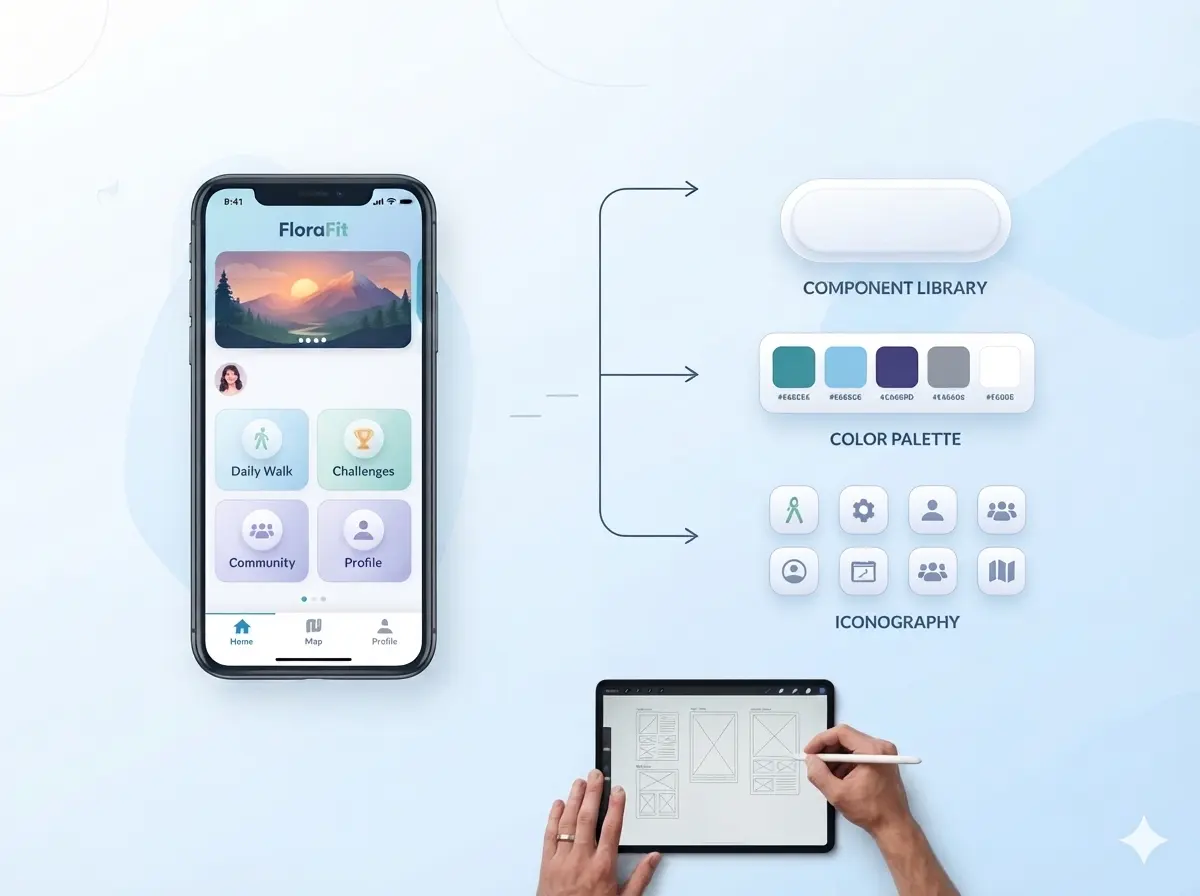
A design system is a structured collection of brand guidelines, a component library, documentation and best practices and design tokens that define how UI components should look, behave and appear across a product. These elements create a shared framework that helps designers and developers follow consistent design standards across every screen and interaction.
Brand guidelines define visual identity and communication standards across the product. A component library provides reusable UI components that support faster design and development. Design tokens store reusable values such as colors, font sizes and spacing units, while documentation and best practices explain how components should be used. Together, these resources provide clear guidelines that keep design decisions consistent and easier to maintain.
A design system supports consistency, efficiency and long-term growth by creating a single source of truth for product design. This shared foundation helps teams reduce repeated work, maintain quality across products and scale experiences more effectively.
The importance of design systems in UI/UX is listed below:
Consistency and Trust: Consistency and trust come from shared UI patterns, reusable UI components and design tokens that create a familiar experience across the product.
Efficiency and Speed: Efficiency and speed increase when designers and developers reuse components from the component library and follow clear guidelines, which reduces repeated work and shortens delivery time.
Scalability: Scalability comes from a strong design system that combines brand guidelines, reusable components and documentation and best practices so the product can grow without losing consistency.
How are user experience and usability different?
Usability and User Experience (UX) describe different aspects of how people interact with a product or brand. User Experience (UX) covers the complete journey, which includes perception, emotions and impressions before, during and after use. Usability focuses on how easily and efficien focuses on task completion and interface clarity.
The nature of measurement differs between the two concepts. UX relies more on perception, emotions and satisfaction, while usability relies more on measurable results. Their relationship exists because usability contributes to User Experience (UX), but User Experience (UX) covers much more than usability alone.
The difference between user experience and usability is listed below.
How is UI/UX design success measured?
UI/UX design success depends on how well a product helps people complete tasks, achieve their goals and support business objectives. Designers assess success through quantitative behavioral data, qualitative user feedback and usability benchmarks. These methods reveal how people use a product and how they respond to the experience.
Behavioral metrics track user actions through measurable results. Task Success Rate indicates how many people complete a task. Time on Task measures how much time a task requires. Error Rate identifies how often mistakes occur. Drop-off Rate & Conversion Rate highlight where people leave a process and where they complete important actions. These metrics reveal patterns in user behavior and task performance.
Attitudinal & sentiment metrics capture user opinions through satisfaction scores. The System Usability Scale (SUS) evaluates ease of use. Net Promoter Score (NPS) reflects willingness to recommend a product. Customer Satisfaction (CSAT) measures overall satisfaction after an experience. These scores provide insight into how people perceive a product and its usability.
Qualitative research explains the reasons behind the numbers. Usability testing reveals how people complete tasks and where difficulties occur. User interviews uncover expectations, frustrations and motivations. Heatmaps and session replays identify areas that attract attention, areas that receive interaction and areas where obstacles appear. Together, these methods help organizations understand user behavior, user feedback and progress toward business objectives.
What challenges can affect UI/UX design success?
The challenges can affect UI/UX design success when UI/UX design fails to align with user needs and business goals. These challenges can create friction within the digital experience and make it harder for users to complete tasks successfully.
UI/UX design can face problems when decisions rely on assumptions instead of research. This situation can result in misaligning products with actual user needs. UI/UX design can also encounter stakeholder roadblocks when different priorities and expectations conflict.
UI/UX design must balance creativity with usability, adapt to technical limitations and simplify complex workflows without removing important functionality. Accessibility and ethics also help ensure that every digital experience remains fair, inclusive and trustworthy.
The challenges that can affect UI/UX design success are listed below:
Ignoring User Research: Ignoring User Research leads to misaligning products with real user needs, which can reduce usability and satisfaction.
Conflicting User Personas: Conflicting User Personas create stakeholder roadblocks and make design priorities more difficult to define.
Balancing Creativity and Usability: Balancing Creativity and Usability supports a visually appealing and practical digital experience that remains easy to use.
Technical & Multi-Platform Constraints: Technical & Multi-Platform Constraints limit how consistently UI/UX design performs across devices, platforms and environments.
Handling Complex Workflows: Handling Complex Workflows requires designers to simplify tasks while preserving important features and functions.
Accessibility and Ethics: Accessibility and Ethics protect diverse users and help maintain a fair, inclusive and trustworthy digital experience.
How does good UI/UX design benefit users and businesses?
Good UI/UX design benefits users and businesses because UI/UX design combines UI (User Interface) and UX (User Experience) to create products that are easy to understand, simple to use and effective at meeting goals. UI (User Interface) focuses on how elements appear and how information is presented. UX (User Experience) focuses on how people move through tasks and complete actions.
Together, UI/UX design improves user satisfaction, supports higher conversions, strengthens long-term development and helps reduce support costs. Clear interfaces reduce confusion, while efficient experiences help users achieve goals and help businesses achieve better results.
The good UI/UX design benefits for users are listed below.
Immediate Clarity: Immediate Clarity helps users understand where to click and what action to take without confusion.
Accessibility & Inclusivity: Accessibility & Inclusivity ensure that people with different abilities and circumstances can use the product successfully.
Frictionless Task Completion: Frictionless Task Completion enables users to achieve goals with fewer steps, fewer errors and less frustration.
Increased Trust: Increased Trust develops when interfaces behave consistently, appear reliable and meet user expectations.
The good UI/UX design benefits for businesses are listed below.
Higher Conversion Rates: Higher Conversion Rates result from clear user journeys that reduce drop-offs and support completed actions.
Brand Loyalty & Retention: Brand Loyalty & Retention increase when users receive consistent and dependable experiences over time.
Lower Development Costs: Lower Development Costs result from fewer redesigns, reusable patterns and stronger design consistency.
Reduced Support Tickets: Reduced Support Tickets occur when users complete tasks successfully without frequent assistance or guidance.
How is UI/UX design used in different digital products?
UI/UX Design shapes users experience within a digital product through the combined role of UX (User Experience) and UI (User Interface). UX (User Experience) focuses on the overall journey, emotions and task flow. UI (User Interface) controls the visual layout, controls and interactive elements that users see and use. Together, they create experiences that feel clear, intuitive and effective across different types of digital products.
In Mobile Applications, UI/UX design supports quick tasks, touch gestures and smaller screens. In E-commerce Websites, UI/UX design helps users discover products, compare options and complete purchases with confidence. These improvements make navigation easier and decision-making more straightforward.
Within Enterprise and SaaS (Software as a Service) Platforms, UI/UX design simplifies workflows, data and dashboards so professionals can work more efficiently. Across IoT and Smart Devices, UI/UX design keeps interactions consistent between connected devices and companion applications, which makes the overall experience easier to understand.
For EdTech and Gaming (Immersive Platforms), UI/UX design combines clear goals, useful feedback and engaging interactions. This balance helps users stay focused, understand progress and achieve outcomes with greater confidence.
How is UI design applied within UI/UX design?
UI design supports UI/UX design when UI design transforms the foundational blueprint of user experience into clear aesthetics, effective typography and intuitive interactive elements. Similar to mobile app design, where users expect familiar patterns, clear navigation, consistent feedback and predictable interactions across screens, UI design strengthens visual hierarchy, improves clarity and supports confident user actions.
How is UX design applied within UI/UX design?
UX Design applies within UI/UX design through a research-driven process that identifies real user needs, defines user goals and structures how people interact with a digital product. UX (User Experience) establishes user flows, information architecture and task paths, while visual execution translates these decisions into interfaces that help users complete tasks clearly, efficiently and confidently.
How does UI/UX design improve website design?
UI/UX design improves website design when human-centric functionality guides user actions and supports clear decision-making across every page. Similar to principles used throughout modern website design, where navigation, content structure and user expectations shape behavior across different sections and tasks, look, layout, and visual hierarchy create understanding, reduce minimal friction and help users complete tasks with confidence.
How does UI/UX design enhance Web App design?
UI/UX design enhances functional web apps when UI/UX design aligns user problems with clear workflows, intuitive navigation and effective decision paths. In web application and SAAS design, users expect simple navigation, clear actions and easy task completion across different features and tools. Visual elements guide attention, support user actions and help transform complex tools into profitable products.
How does UI/UX design influence Mobile App design?
UI/UX (User Interface and User Experience) design improves a mobile app through intuitive navigation that helps users understand where to go next. UI/UX design supports task completion through clear user flows and enhances visual appearance through consistent layouts, colors and icons that create a polished experience.
How is UI/UX design applied in SaaS design?
UI/UX design improves SaaS (Software as a Service) products when clear navigation and simple workflows reduce user friction. UI/UX design improves Time-to-Value (TTV) when users reach meaningful outcomes soon after signup. This early success increases confidence, strengthens subscription retention and encourages continued product use.
Can artificial intelligence improve UI/UX design?
Yes, Artificial Intelligence significantly improves UI/UX design. Artificial Intelligence analyzes user behavior, identifies patterns and uncovers usability issues. Artificial Intelligence also automates repetitive tasks, supports strategic problem-solving and provides insights that help designers apply user psychology to create useful, trustworthy and user-focused experiences.
Will UI and UX continue to evolve with emerging technologies?
Yes. UI and UX will continue to evolve with emerging technologies because digital experiences remain dynamic and user expectations continue to change. Multi-modal experiences will expand how people interact with products, hardware innovations will introduce new interaction methods, and intelligent design tools will improve design capabilities. Human-centered design will ensure these advances remain useful, accessible and relevant to user needs.
.svg)
.svg)
.svg)
.svg)