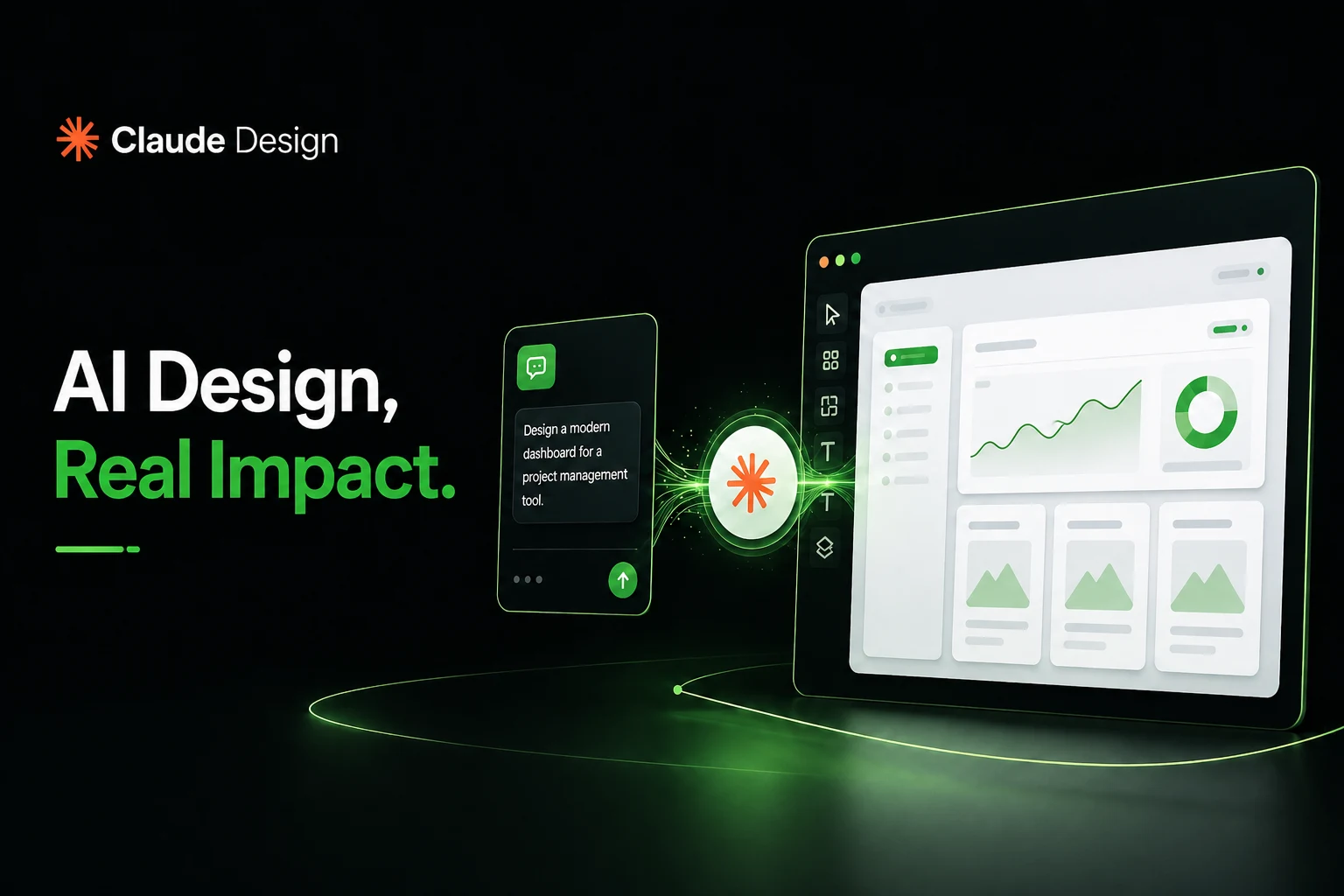
Claude Design is a conversational, AI-powered design platform that converts natural language into visual prototypes and structured web-based artifacts. It defines a system where user input becomes design output, and this system ensures clarity, consistency and speed across the entire workflow.
Claude Design initiates the ideation and design process through chat-based prompts and supporting assets such as screenshots or codebases. It interprets these inputs and builds design systems that maintain brand consistency. This interpretation ensures that each output aligns with predefined visual and functional standards.
Claude Design processes multimodal inputs such as prompts, URLs, and files and it transforms them into real-time editable canvases. It enables iterative refinement through comments, direct edits, and conversational feedback. This refinement improves the structure and usability of each visual prototype.
Claude Design generates web-based artifacts such as wireframes, mockups, and interactive prototypes and it delivers these outputs with rapid rendering. It supports export formats like PDF, SVG, PPTX, and Figmt. These formats ensure adaptability across design, presentation and collaboration environments.
Claude Design supports product managers, designers and builders with a structured workflow that accelerates idea-to-design transformation. It removes blank-canvas friction, and this removal improves productivity and decision-making across modern AI-powered design processes.
What is Claude Design?
Claude Design is a conversational AI-powered design tool developed by Anthropic Labs that converts text prompts into visual work such as prototypes, presentations, and structured design artifacts. It enables users to generate nice-looking designs, mockup, refine outputs through iterative edits, integrate assets for design systems and export ready-to-use files for rapid ideation and execution.
How does Claude Design work?
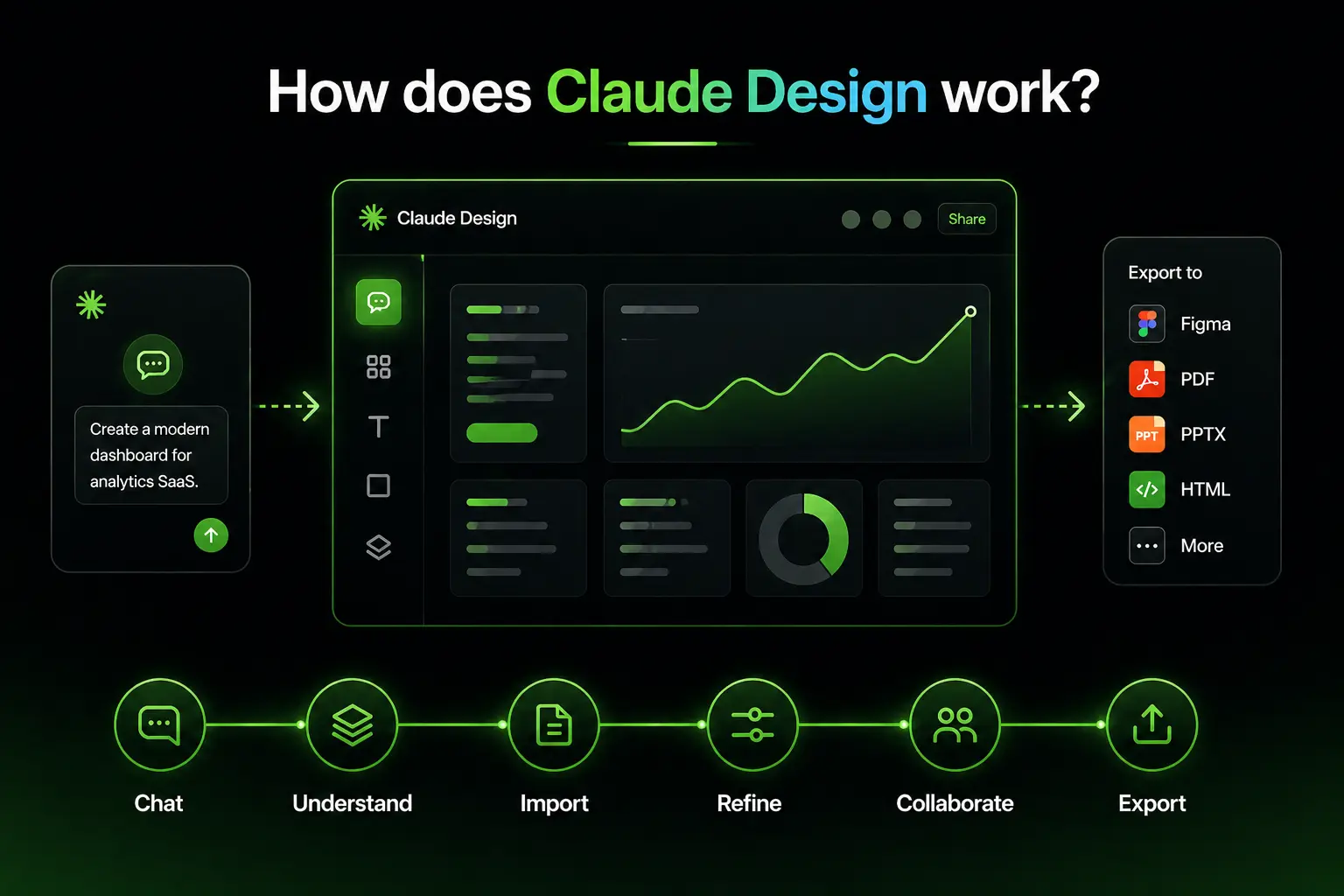
Claude Design follows a natural, creative flow in which users describe ideas in chat, and the canvas renders editable outputs in real time. It connects conversation with execution and this connection ensures that every input directly shapes the evolving design.
Claude Design includes a built-in process that analyzes uploaded assets during onboarding and constructs a unified design system. It extracts colors, typography, components, and patterns. This extraction ensures consistent outputs across all projects.
Claude Design supports import from anywhere by accepting documents (DOCX, PPTX, XLSX), codebases, screenshots and web captures. It integrates these inputs into the existing design system and this integration maintains structural and visual consistency.
Claude Design enables refinement with fine-grained controls through chat prompts, inline comments and adjustable sliders. It updates the canvas in real time and this update improves precision and iteration speed.
Claude Design supports collaboration through shared projects and group conversation. It allows team members to edit and discuss simultaneously. This collaboration preserves alignment within the design system.
Claude Design provides export anywhere functionality with options like export to Canva, PDF, PPTX, HTML files, Figma and SVG. It ensures readiness for delivery and builds integrations and this readiness streamlines production workflows.
What are the core features of Claude Design?
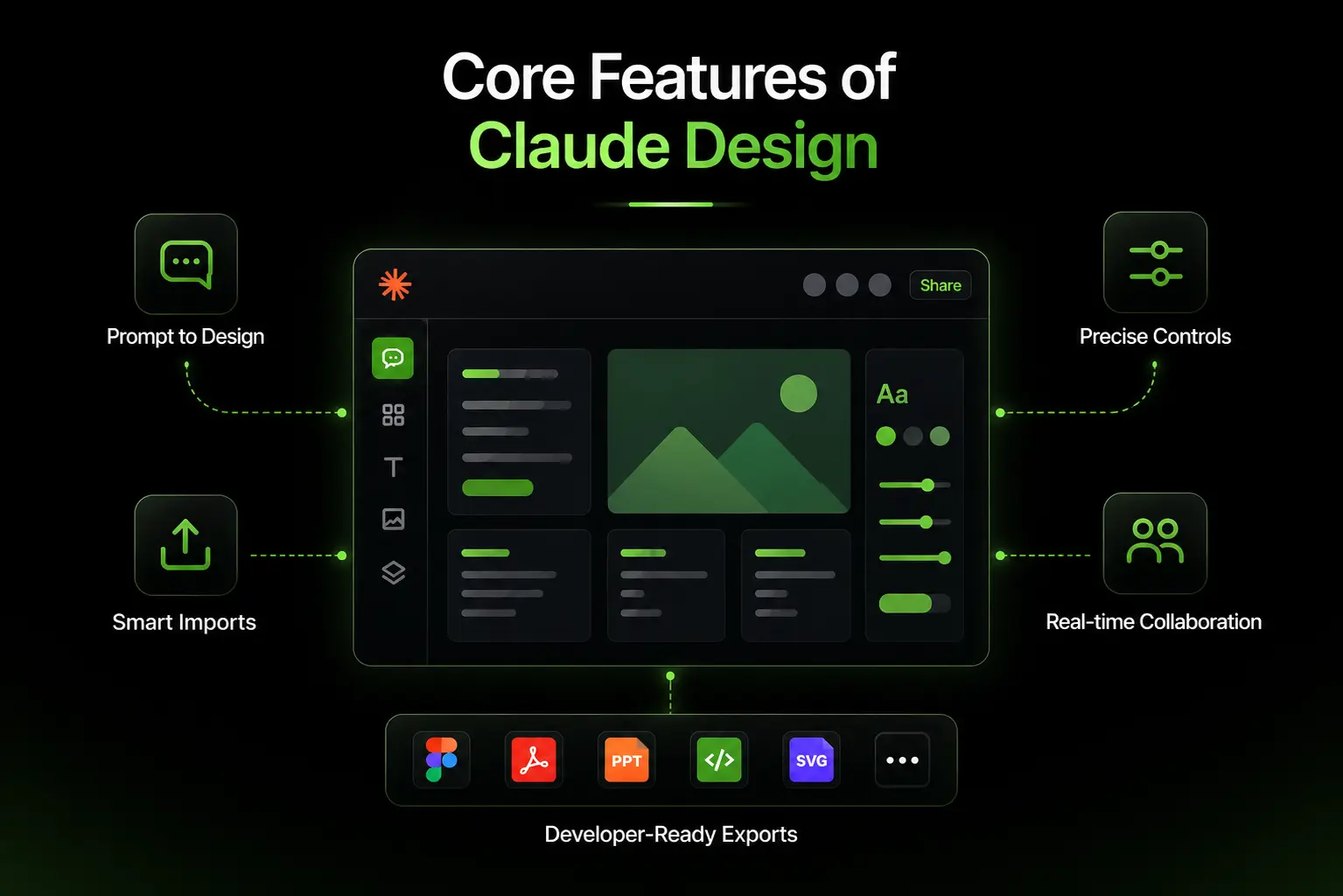
Claude Design is a prompt-driven tool that transforms text into polished visual assets through conversational AI. It builds an automatic design system from uploaded inputs to ensure consistent outputs across projects.
Claude Design generates high-fidelity code-powered prototypes, wireframes, web pages, and mockups from natural language prompts. This generation accelerates ideation and execution. It provides a chat and canvas interface and this interface enables instant rendering with seamless inline iteration.
Claude Design includes custom auto-generated sliders for precise control over styling elements such as colors, spacing and typography. These controls improve design accuracy. It supports multimodal imports like screenshots, codebases and documents, and this support strengthens brand alignment.
Claude Design offers developer-focused exports such as Figma, PDF, PPTX, HTML, SVG and these exports ensure a clean handoff for development workflows. It enables real-time collaboration, interactive prototype logic and this capability enhances usability for PMs and designers.
How to use Claude Design?
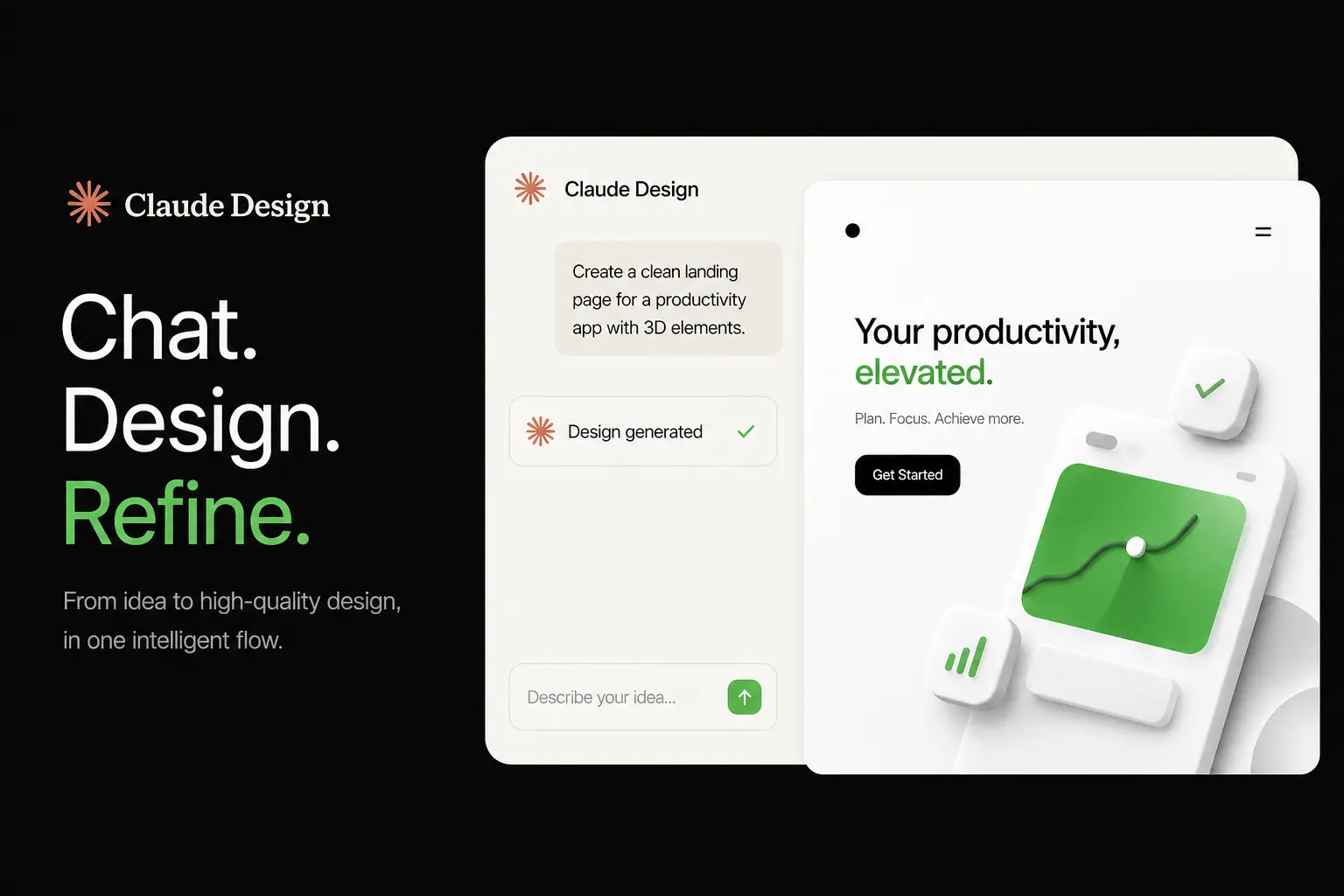
Claude Design starts the setup process when users upload screenshots, input texts, web captures, codebases, or documents. It builds a reusable design system by extracting colors, typography and components. This system ensures consistent outputs across all projects.
Claude Design follows a basic workflow through a chat-and-canvas interface, where users describe requirements in chat and the canvas renders results instantly. It generates wireframes or 3D effects, and this generation connects user intent with visual execution.
Claude Design enables users to refine designs through iterative actions that improve quality. It applies prompt-based edits and inline comments and it allows spacing, color tweaks with precise sliders. It also enhances accessibility, usability and produces multiple variations for better design exploration.
What skills are required for Claude Design?
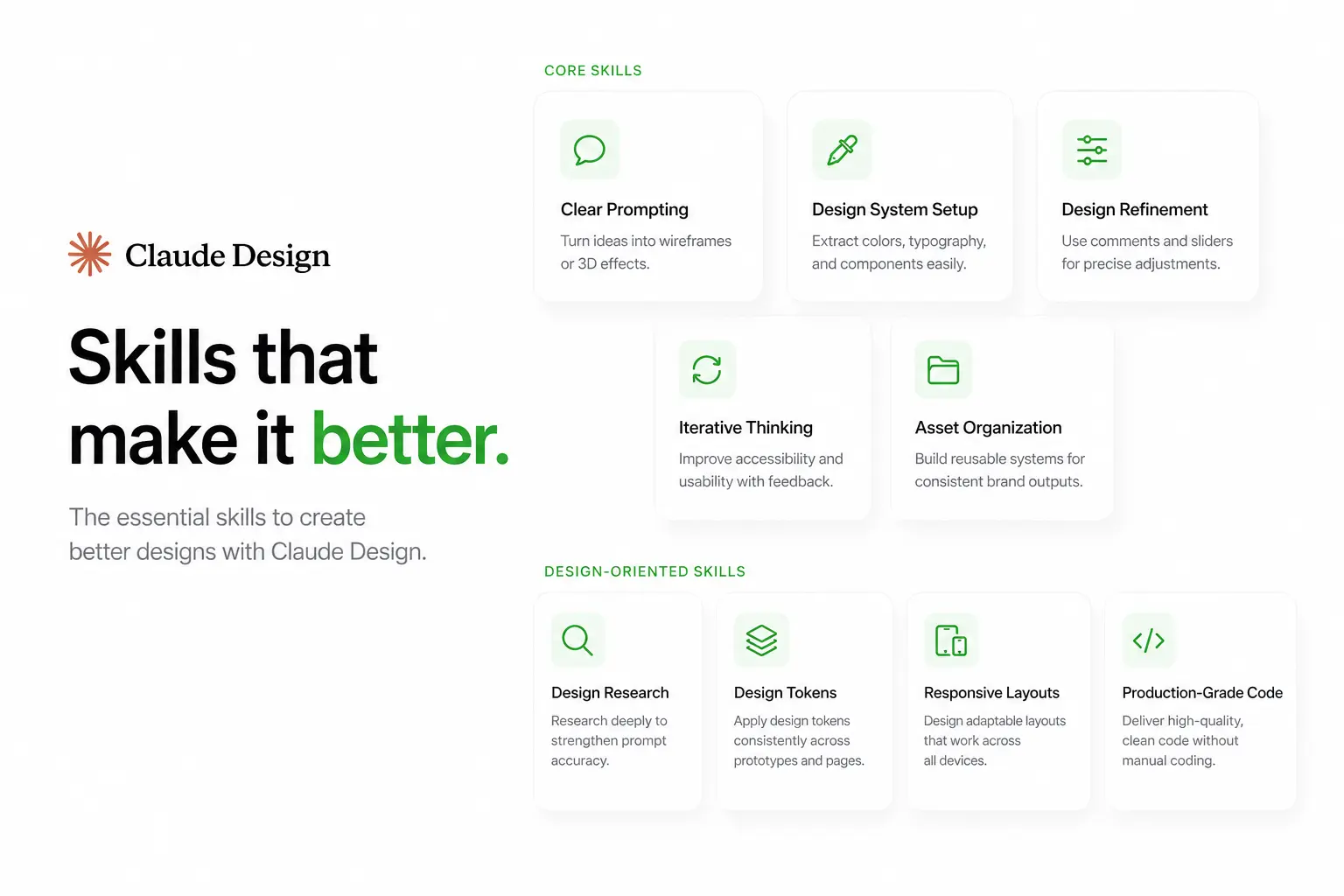
The essential skills for Claude Design involve conversational prompting and design literacy. They enable users to leverage AI capabilities (like Model Context Protocol) without requiring advanced front-end coding knowledge.
The top Claude Design skills are listed below.
Clear Prompting: Clear prompting generates wireframes or 3D effects from natural language inputs.
Design System Setup: Design system setup extracts colors, typography, and components from screenshots and web captures.
Design Refinement: Design refinement applies inline comments and custom auto-generated sliders for spacing and color control.
Iterative Thinking: Iterative thinking improves accessibility and usability through continuous prompt-based feedback.
Asset Organization: Asset organization builds a reusable design system for consistent brand outputs.
Claude Design also requires key design-oriented skills that improve output quality. It includes design research and conducting research to strengthen prompt accuracy. It supports applying design tokens across prototypes and web pages. It requires knowledge of responsive layouts and it ensures adaptability across devices while delivering production-grade code without manual coding.
How does Claude Design integrate with Figma?
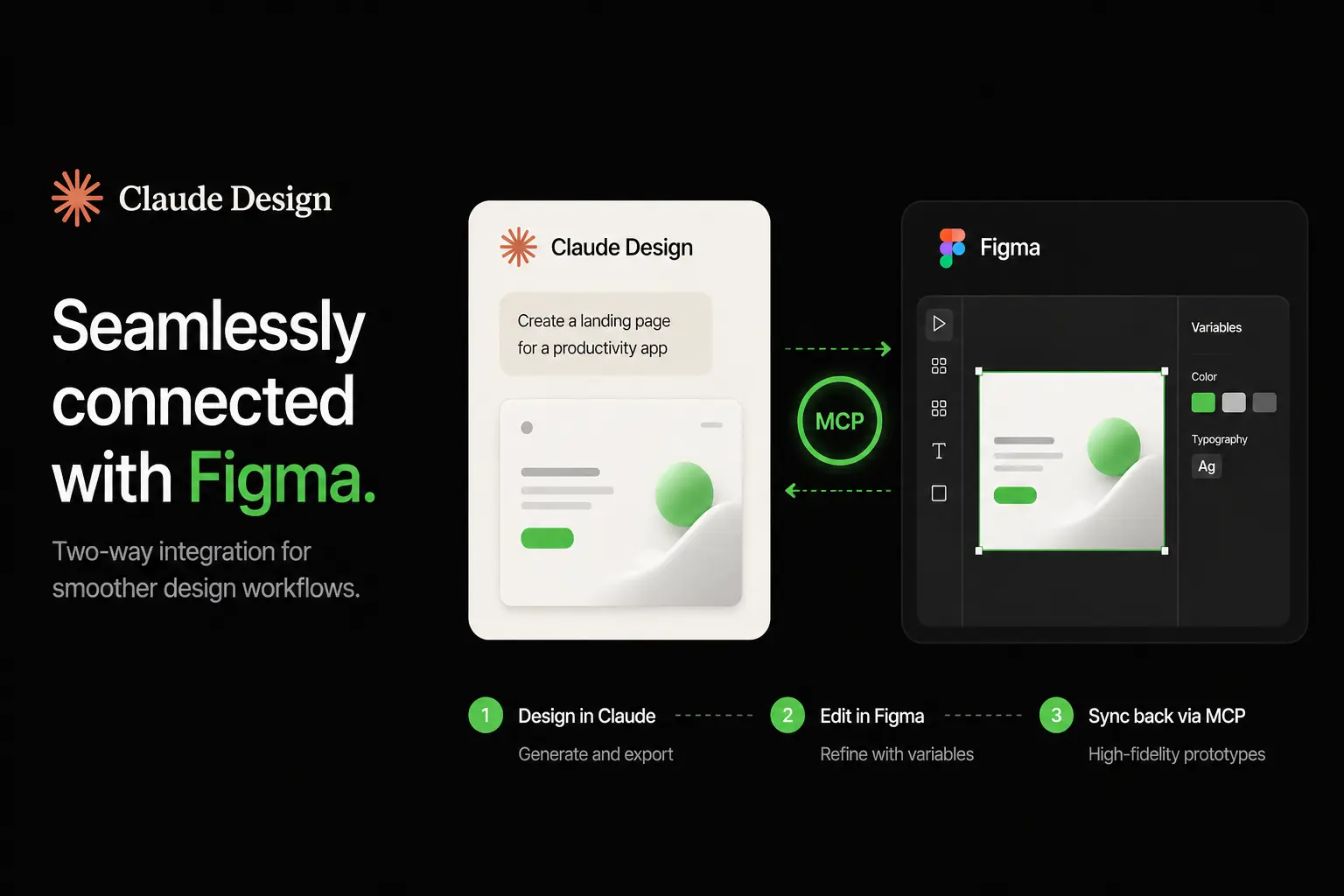
Claude Design provides key integration features through Model Context Protocol (MCP) and it establishes a two-way connection between its canvas and Figma. It uses the Figma Connector to enable integration capabilities and it converts outputs into a Figma frame with editable Figma layers. It synchronizes the Figma variables panel and this synchronization ensures consistency in colors and typography.
Claude Design requires specific setup requirements for integration. It installs the Figma Connector plugin in Claude Desktop and it enables MCP in Figma Dev Mode. It authenticates via API (Application Programming Interface) and this authentication supports iterative development.
What are the use cases of Claude Design?
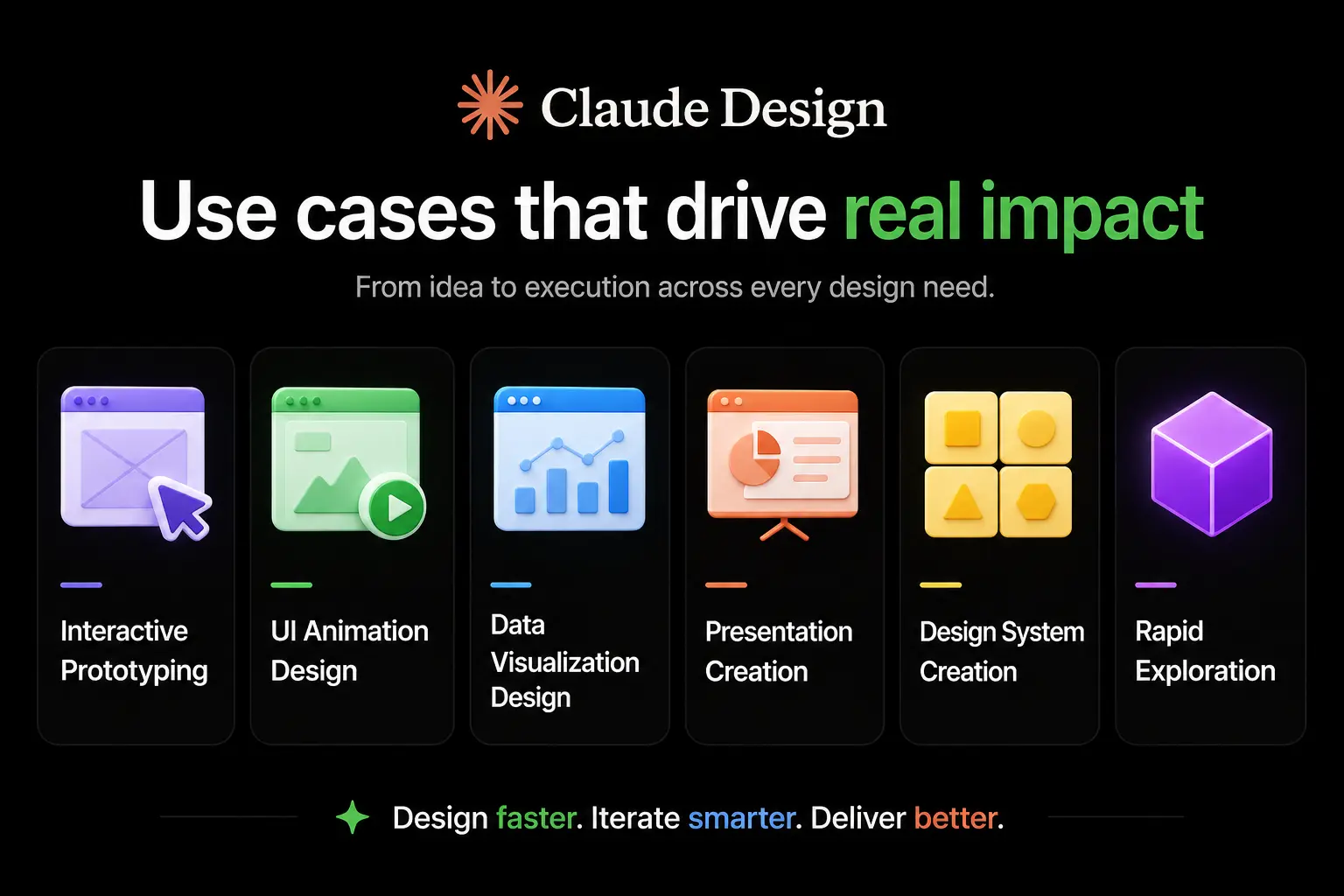
The use cases of Claude Design are diverse across rapid prototyping, UI creation, and content generation through its conversational AI interface. They enable efficient design execution across multiple domains.
The use cases of Claude Design are listed below.
Interactive Prototyping: Interactive prototyping creates interactive prototypes and interactive mockups for testing and reviews.
UI Animation Design: UI animation design produces animated landing pages and dynamic web pages with motion effects.
Data Visualization Design: Data visualization design builds interactive data visualizations for dashboards and presentations.
Presentation Creation: Presentation creation generates pitch decks for export to PPTX or Canva.
Design System Creation: Design system creation extracts assets for consistent brand systems.
Rapid Exploration: Rapid exploration enables quick wireframes or 3D effects through prompts.
What are the benefits of Claude Design?
The benefits of Claude Design are efficient ideation and scalable design workflows. They leverage a conversational system to simplify creation and execution.
The key benefits of Claude Design are listed below.
System Consistency: System consistency ensures system-aware consistency through an auto-built design system with colors, typography, and components.
Rapid Ideation: Rapid ideation generates interactive prototypes instantly, and it removes blank-canvas friction.
Cost Reduction: Cost reduction lowers expenses, and it enables non-designers to create high-fidelity outputs without specialists.
Conversational Refinement: Conversational refinement improves designs through prompts, comments, and sliders for precise iteration.
Code Export Capability: Code export capability delivers production-ready code such as Figma, HTML, and SVG for developer handoff.
UI Accessibility: UI accessibility democratizes design, and it enables wireframes, 3D effects, and landing pages from simple inputs.
Development Speed: Development speed accelerates iteration, and it maintains brand consistency across visual assets.
What are the limitations of Claude Design?
The limitations of Claude Design come from the fact that it is still in an early (preview) stage and has some system limits. These factors affect how reliably it performs in all use cases.
The key limitations of Claude Design are listed below.
Token Consumption: Token consumption remains extremely aggressive, and it can exhaust limits after a few designs or short sessions.
Usage Transparency: Usage transparency remains non-transparent usage, and it leads to sudden rate limits or lockouts.
Prompt Dependency: Prompt dependency results in requiring frequent re-prompting for complex layouts beyond basic tweaks.
Control Limitations: Control limitations reduce the precise control available for advanced accessibility and usability needs.
Data Mapping Issues: Data mapping issues fail to map data correctly in dashboards or visualizations.
Export Constraints: Export constraints require manual restructuring before Figma handoff.
Collaboration Limits: Collaboration limits restrict real-time editing, and group interaction remains sequential.
How is Claude Design changing modern design workflows?
Claude Design transforms manual design processes with conversational AI and it improves efficiency in time-crunched workflows.
How Claude Design is changing modern design workflows is listed below.
- Interactive Replacement: Interactive replacement supports replacing static mockups with interactive elements and interactive behaviors from prompts.
- System Generation: System generation builds an internal design system with reusable component patterns from uploads.
- Code Pipeline Creation: Code pipeline creation establishes a code-ready pipeline with outputs for production implementation.
- Rapid Ideation: Rapid ideation removes blank-canvas friction through chat-driven design execution.
- Conversational Editing: Conversational editing replaces manual restructuring with faster inline refinements.
- UI Democratization: UI democratization enables non-designers to create outputs with reusable systems.
- Workflow Shift: Workflow shift moves design from manual execution to prompt-driven creation while maintaining consistency.
Will Claude Design replace designers?
No, Claude Design is not replacing designers. It automates repetitive design tasks like color-scheme variations and layouts. It cannot replace skilled designers who define brand voice and user-centric flows with human-centric skill. Designers shift toward direction, validation and system strategy.
Is Claude better than ChatGPT for design?
Claude Design performs better for brand-driven design. It provides context-aware feedback with reusable systems and component-library outlines.
ChatGPT performs better for general-purpose design and design concepts. It supports visual ideation through image generation.
Is Claude Design free?
No, Claude Design is not free. It is a premium feature available only to paid subscribers under a paid Anthropic subscription such as Pro ($20/month or $17/month annually).
Claude Design is included in Pro, Max, Team and Enterprise users’ plans. It uses existing messaging limits and weekly usage quotas that reset periodically.
Claude Design does not exist in the free tier and this restriction means users must pay a monthly subscription fee to access design capabilities. Higher-tier plans provide increased limits and scalability for heavier usage.
What tools are similar to Claude Design?
Top similar tools are Figma Make, Uizard AI, Galileo AI, and Framer AI. These platforms function as similar design tools within the current AI ecosystem. These tools are AI-powered design assistants with similar functionality to a collaborative design partner and a full-stack AI development platform.
Which company created Claude Design?
Anthropic Labs creates Claude Design and it operates as an experimental product division of Anthropic. Claude Design uses Claude Opus 4.7 and functions as a conversational tool that generates visual design outputs from prompts.
What company owns Claude AI?
Anthropic owns and develops Claude AI. It operates from San Francisco. Anthropic focuses on AI safety, research and builds large language models (LLMs) like Claude Sonnet 4.6, Haiku 4.5 and Opus for advanced AI development.
.svg)
.svg)
.svg)
.svg)